Using Cloud Storage Setting up a Cloud Storage Account
Seagate Dashboard User Guide 24
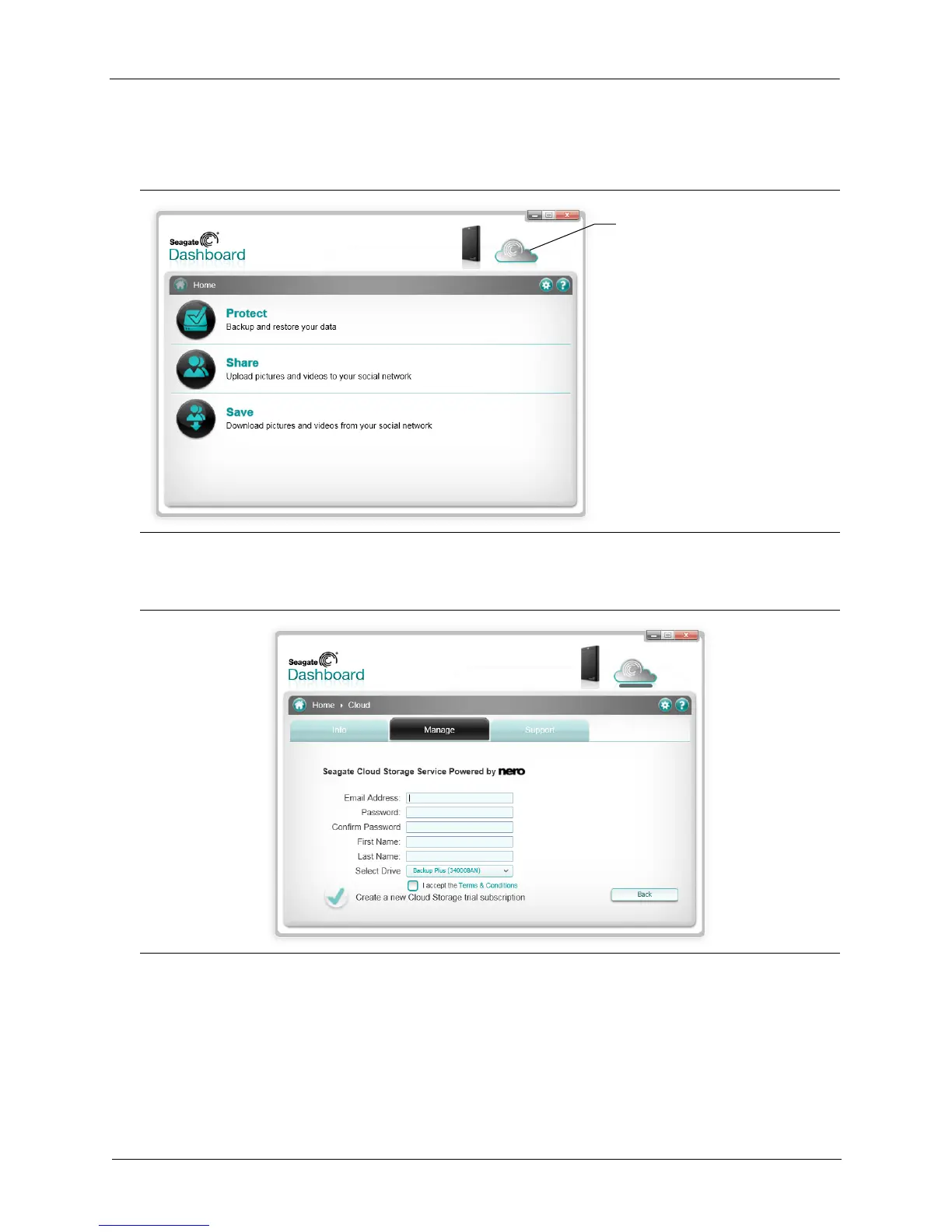
2. On the Seagate Dashboard Home screen, click the Cloud Storage icon at the top of the
screen.
3. Click the Create a new account link to display the account sign-up page.
4. Fill in the fields on the page, and select your Dashboard-enhanced drive from the list box.
5. Click the green checkmark to create your Cloud Storage account.
Figure 17: Cloud Storage Icon on the Seagate Dashboard Home Screen
Figure 18: Cloud Storage Account Creation Screen
Click here to set up your
Cloud Storage account











 To Next Page