Seagate BarraCuda Pro SATA Product Manual, Rev. D 23
3.4 Drive mounting
Users can mount the drive in any orientation using four screws in the side-mounting holes or four screws in the bottom-mounting holes.
See Figure 4 for drive mounting dimensions. Follow these important mounting precautions when mounting the drive:
• Allow a minimum clearance of 0.030 in (0.76mm) around the entire perimeter of the drive for cooling.
• Use only 6-32 UNC mounting screws.
• The screws should be inserted no more than 0.120 in (3.05mm) into the bottom or side mounting holes.
• Do not overtighten the mounting screws (maximum torque: 6 in-lb).
3.4.1 Mechanical specifications
Refer to Figure 4 for detailed mounting configuration dimensions. See Section 3.4, “Drive mounting.”
Figure 4. Mounting configuration dimensions (10TB & 8TB) models)
Weight: 10TB & 8TB models 1.43 lb 650 g
Note
These dimensions conform to the Small Form Factor Standard documented in
SFF-8301 and SFF-8323, found at www.sffcommittee.or
g
Note
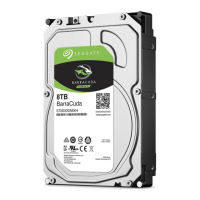
The image is for mechanical dimension reference only and may not represent the actual drive.
3.750±.010
2X 1.625±.020
2X 3.000±.010
.127±.010
4.000±.010
1.432±.019
2
.814±.020
2
4X 6-32 UNC 2B
3 MIN THREAD DEPTH
.1 MAX FASTENER PENETRATION
MOUNTING HOLE.
MAX TORQUE 6 IN/LBS
Y
B
5.787 MAX
146.99 MM
.250±.010
2X 4.000±.010
2X 1.122±.020
2X 6-32 UNC 2B
3 MIN THREAD DEPTH
.1 MAX FASTENER PENETRATION
MOUNTING HOLES BOTH SIDES.
MAX TORQUE 6 IN/LBS
Z
Y
1.028 MAX
26.11 MM
.142±.015
2
2.000
C
L
OF DRIVE
C
L
OF DRIVE
C
L
OF CONN
Z
TEMPERATURE
CHECKPOINT 60°C MAX










 To Next Page