Installation Guide 13
7 The partition warning will display. Verify your
selection and click Partition to complete the
format.
8 After the format is complete, the volume will
mount on your desktop and be ready for
immediate storage.
Getting Help
Before contacting Seagate Support, use the
SeaTools Disk Diagnostic (included on the CD)
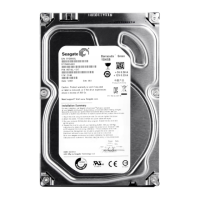
to perform a health check, and obtain the serial
number and model number from your drive.
These numbers can be used to get help from
Seagate support, register your drive and look
up information on the Seagate web site.
Please visit www.seagate.com to obtain the
latest comprehensive support information –
such as:
Knowledge Base
Troubleshooting information, FAQ’s,
and technical documentation.
Software Downloads
Installation software, utilities, and diagnostics.
Product Index
Current and legacy Seagate products.
Warranty Services
Drive returns (RMA), warranty status,
and limited warranty statement.
Product Support
Installation assistance, specications, jumper
settings, installation guides, product manuals.










 To Next Page