SATA Internal Hard Drive4
Install the drive
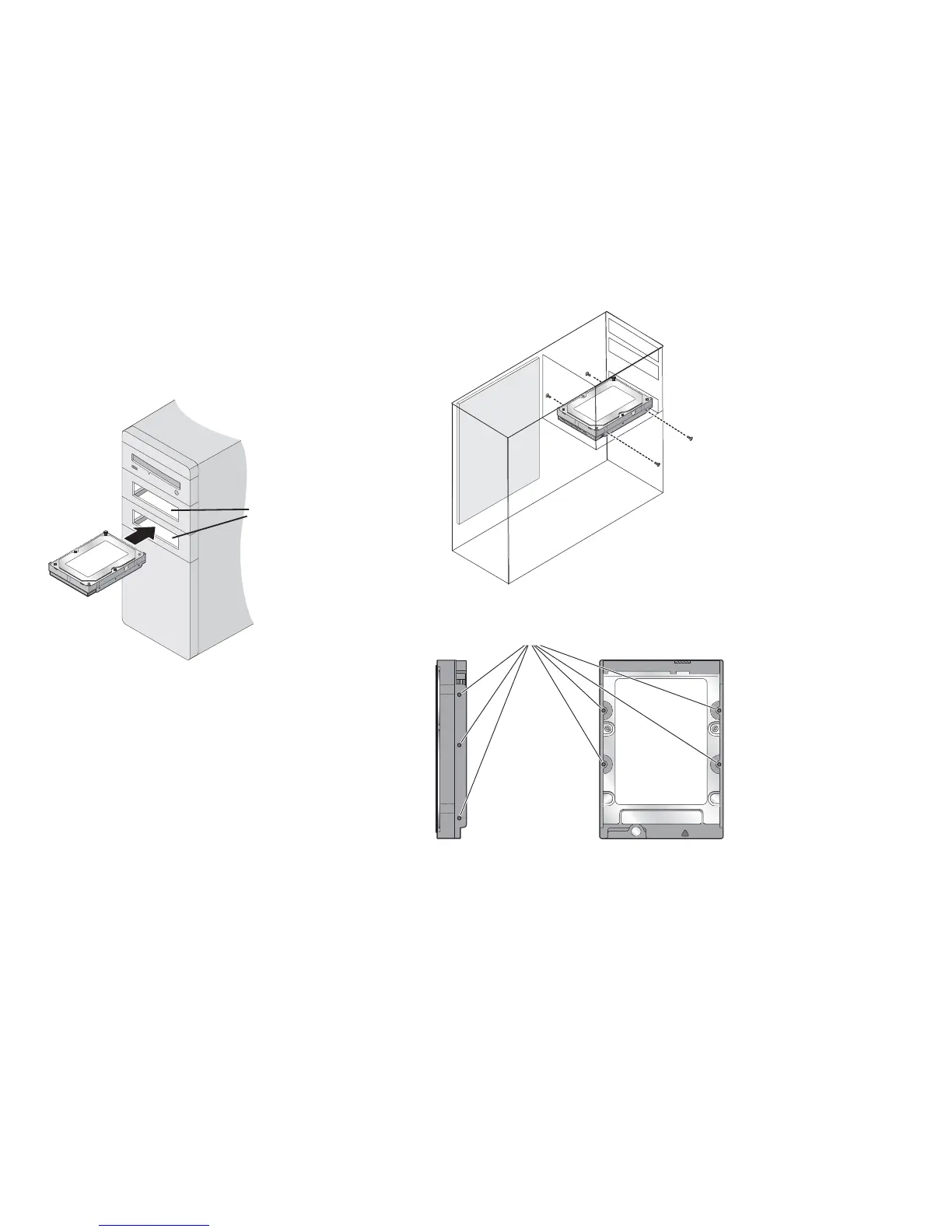
Mount the drive in a 3.5-inch device bay
with the label facing up and in front of a fan
whenever possible.
If your system doesn’t have an available
3.5-inch bay, you can purchase brackets from
your local computer store that allow your drive
to be placed in an empty 5.25-inch bay.
Note: For ease of
installation, some
systems may require
you to connect the
power and data cables
before mounting the
drive in the device bay.
Holes for
mounting screws
3.5-inch
Drive Bays
Mounting
Screws










 To Next Page