Installation Guide 3
Get started
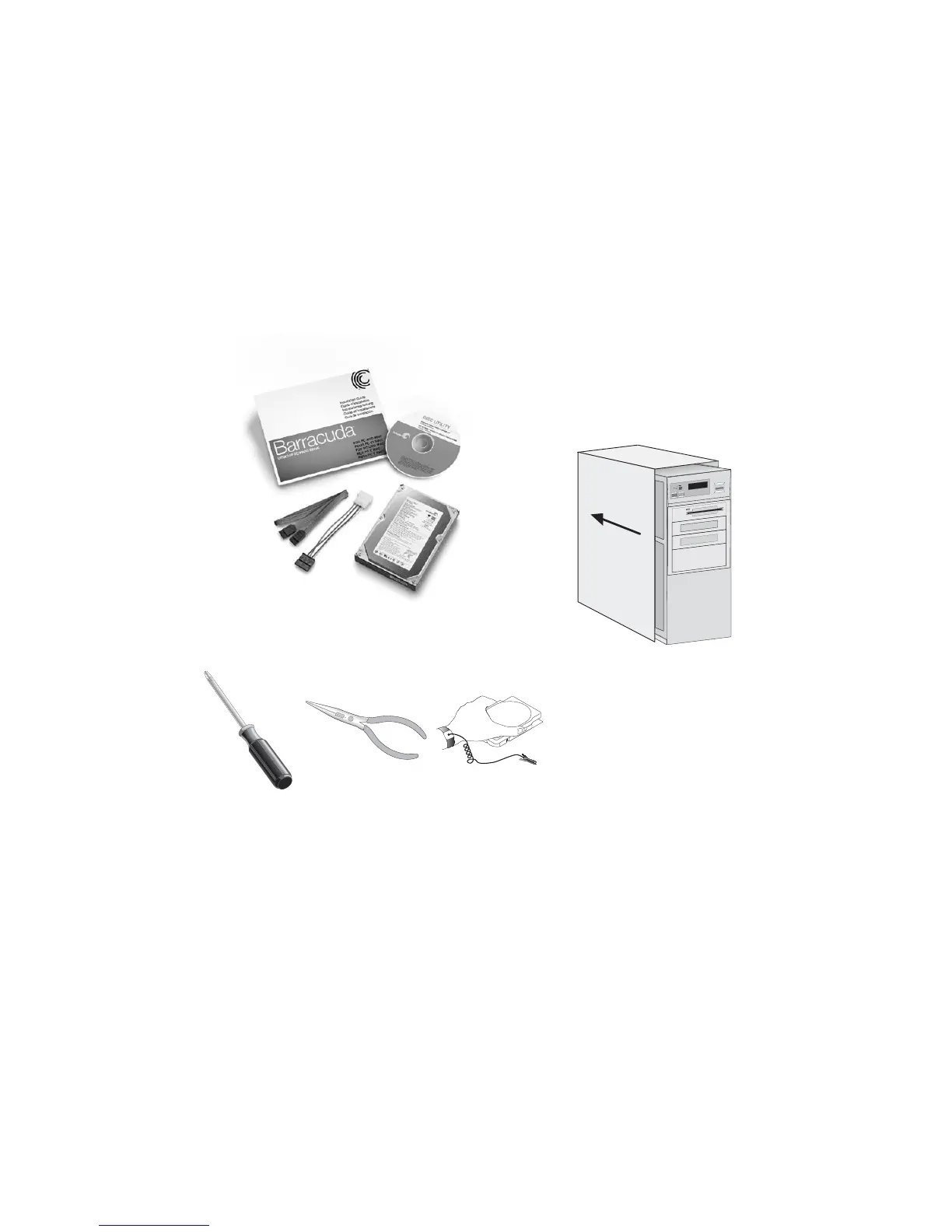
Gather your materials
Gather your tools
Note: Installing drives larger than 137GB have specic
hardware and operating system requirements to achieve
full capacity and prevent data loss please review the
requirements on page 8.
Open your computer case
See your computer manual for instructions.
1 Turn your computer off.
2 Unplug your system from the wall outlet.
3 Remove the cover from the system.
4 Attach a grounding strap to your wrist and
the system case or touch a metal portion of
the case to discharge any potential static
electricity stored in your body.
Note: Refer to your
computer manual
for instructions on
removing the cover,
or seek the services
of a qualied computer
technician.
Installation
Guide
Disk
Utility CD
Mounting
Screws
Hard
Disk
Power-adapter
Cable
Interface
Cable
Phillips
Screwdriver
Needle-nose
Pliers or Tweezers
ESD
Protection










 To Next Page