SATA Internal Hard Drive2
Welcome to the Serial interface
Seagate
®
Serial ATA (SATA) disk drives are
designed for easy installation. Unlike other
interfaces, there is no need to set jumpers or
determine master/slave relationships between
drives on cumbersome ribbon cables. The
jumper block next to the data connector is
used to force 150MB transfer modes on legacy
chipsets. For more information, see page 6.
SATA drives can be used in the same system
with Parallel ATA (PATA) drives as long as
both interfaces are supported. With the SATA
interface, each disk drive has it’s own cable
that connects directly to a SATA port on your
motherboard or to an add-in PCI, (PCI-E, or
PCI-X) host adapter.
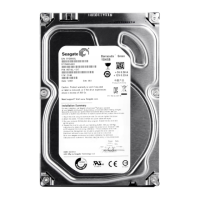
For future reference, please record the drive
label information in the spaces below:
Model # ST ____________________________________
Part # __________________________________________
Serial # ________________________________________
Please register your new drive at:
www.seagate.com/products/registration/
index.html
Precautions
• Makesureyourcomputeristurnedoff
and unplugged before opening the case or
touching any internal components.
• Disk drives are extremely fragile.
Do not drop or jar the drive.
• Protectyourdrivefromstaticdischarge.
Before handling the drive, ground yourself by
touching the metal chassis of your computer
or by using a grounded wrist strap. Avoid
areas with static-inducing carpets.
• KeepthedriveintheESD-protective
packaging until you are ready to install it.
• Backupthedataonyourexistinghard
drive(s) before installing new hardware.
Seagate is not responsible for lost data.
• SaveyourSeagatediskdriveboxandESD-
protective container in case you have to ship
your drive. Shipping the drive in a non-
approved container or packing material
may void your drive warranty.










 To Next Page