OPERATION
MANUAL
Product: Document #: Rev: Page:
SEAKEEPER 6 90403 1 5 of 6
Section 1: SYSTEM OVERVIEW
1.2 Display
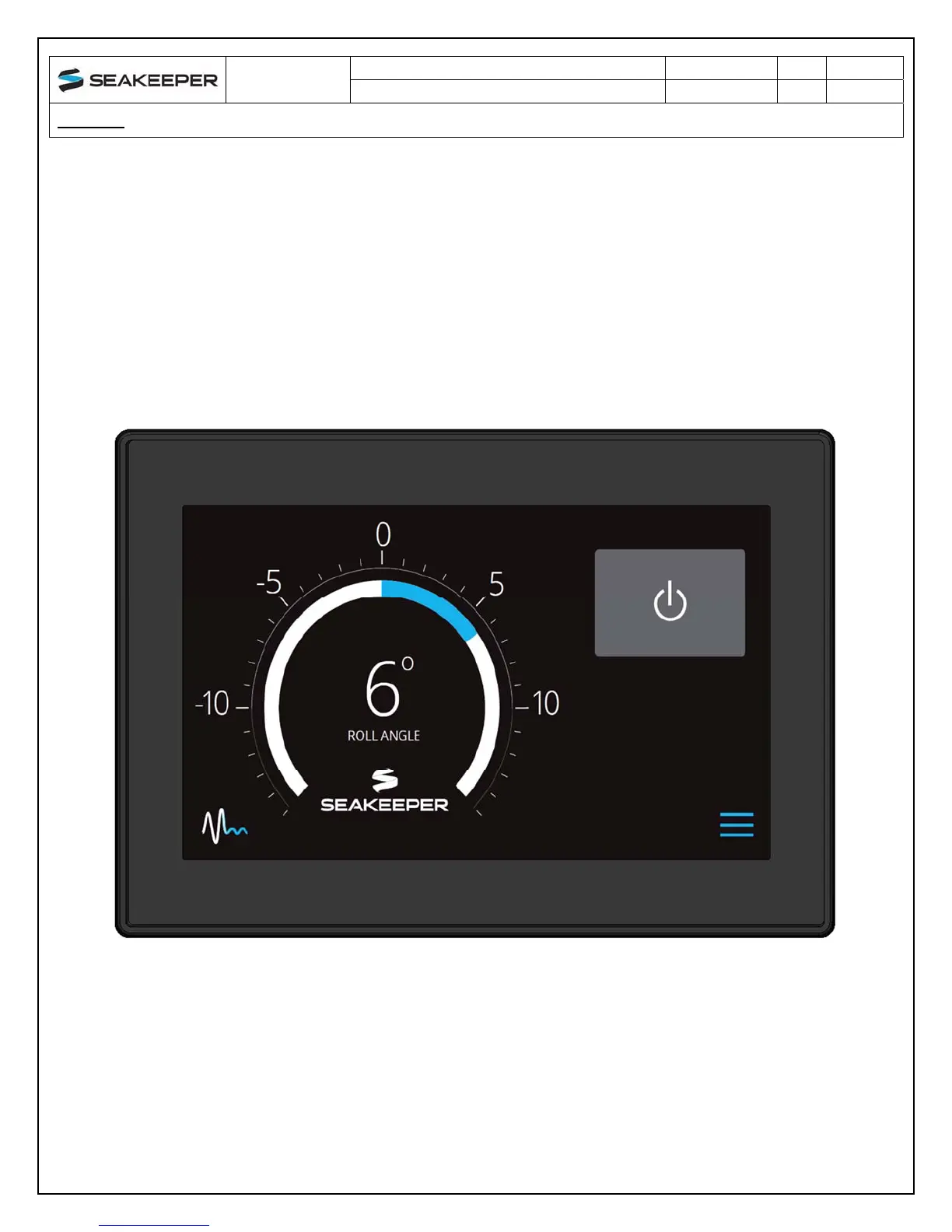
The display shown below is the user interface to the Seakeeper 6 and should be mounted at the
primary helm station. It is used to start, operate, monitor and shutdown the Seakeeper.
Sensors, alarms and shutdowns are provided to allow unattended operation.
The display provides information in the event of an alarm. Alarms cause precession to stop
(Stabilize Off) and the Seakeeper to start coasting down (Seakeeper Off).
FIGURE 4 – OPERATOR DISPLAY


 To Next Page