Seaory S22 Desktop Dual-sided Card Printer
Excellent quality, Perfect service
www.seaory.com 30 / 53
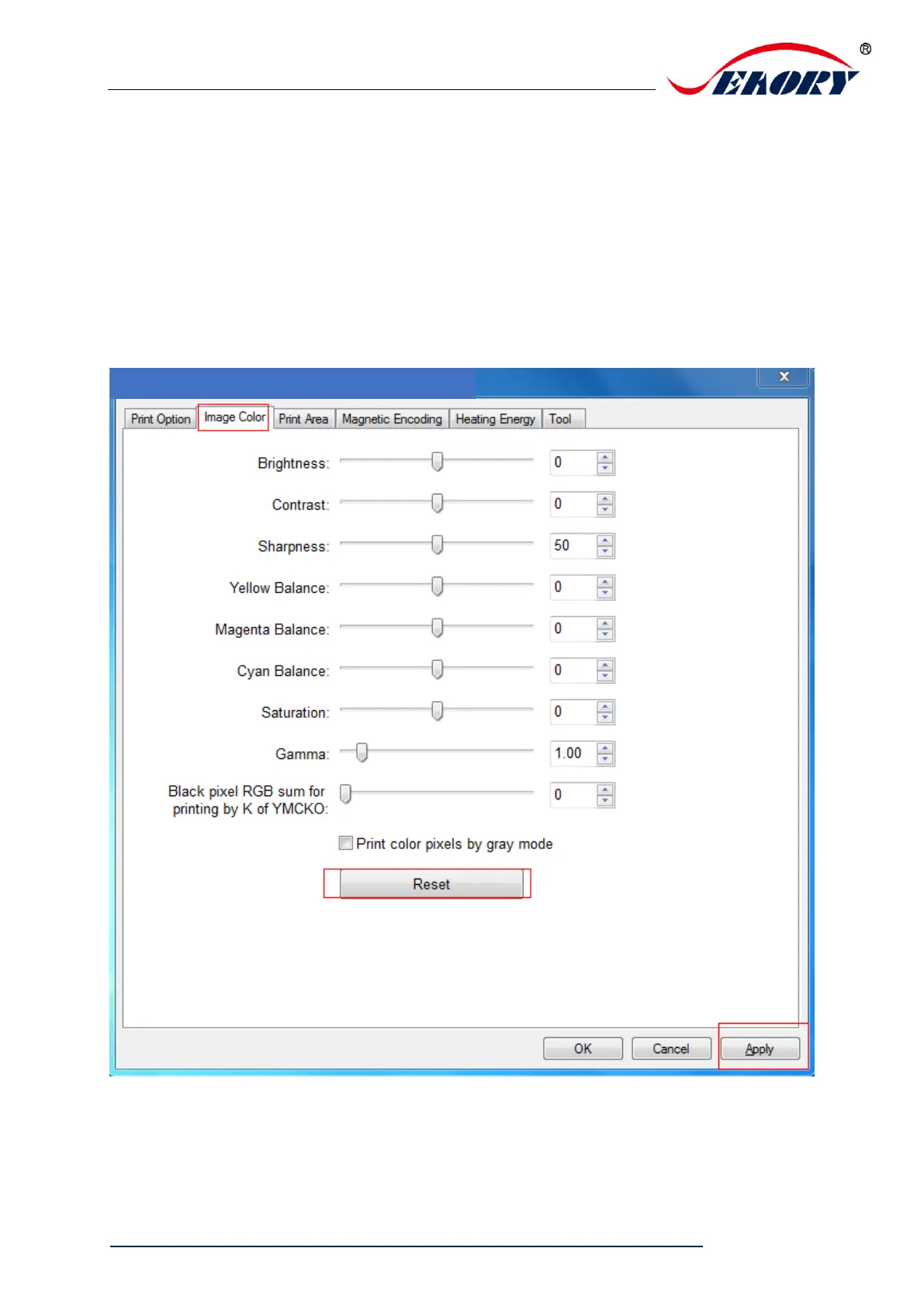
7.9 Image color setting
The driver default is optimal, normally it does not need to change, if has
to, you can custom.
Reset: means restore factory default image color setting.
Apply: means after setting new parameter value, click “apply” to take
effect.


 To Next Page