Driver assistance systems
The system is operational, the highligh-
t
ed line
A
indicates that there was a
ri
sk
of involuntarily crossing the lane
line and that the steering is being adjus-
ted to correct the angle ››› Fig. 190 C.
The two lines
A
light up simultaneously
when both l
ane line
s are recognised and
the Lane Assist function is active
››› Fig. 190 D.
Control lamps
Blinks or lights up yellow: Lane Assist
active but not available.
The system can not accurately recognise the lane.
Please see page 216, the Lane Assist system is not
available (the control lamp is lit up yellow).
Blinks or lights up green:
Lane Assist system active and available.
WARNING
Observe the safety warnings ››
›
in Warning
and contr
ol lamps on page 107.
–
–
Operation
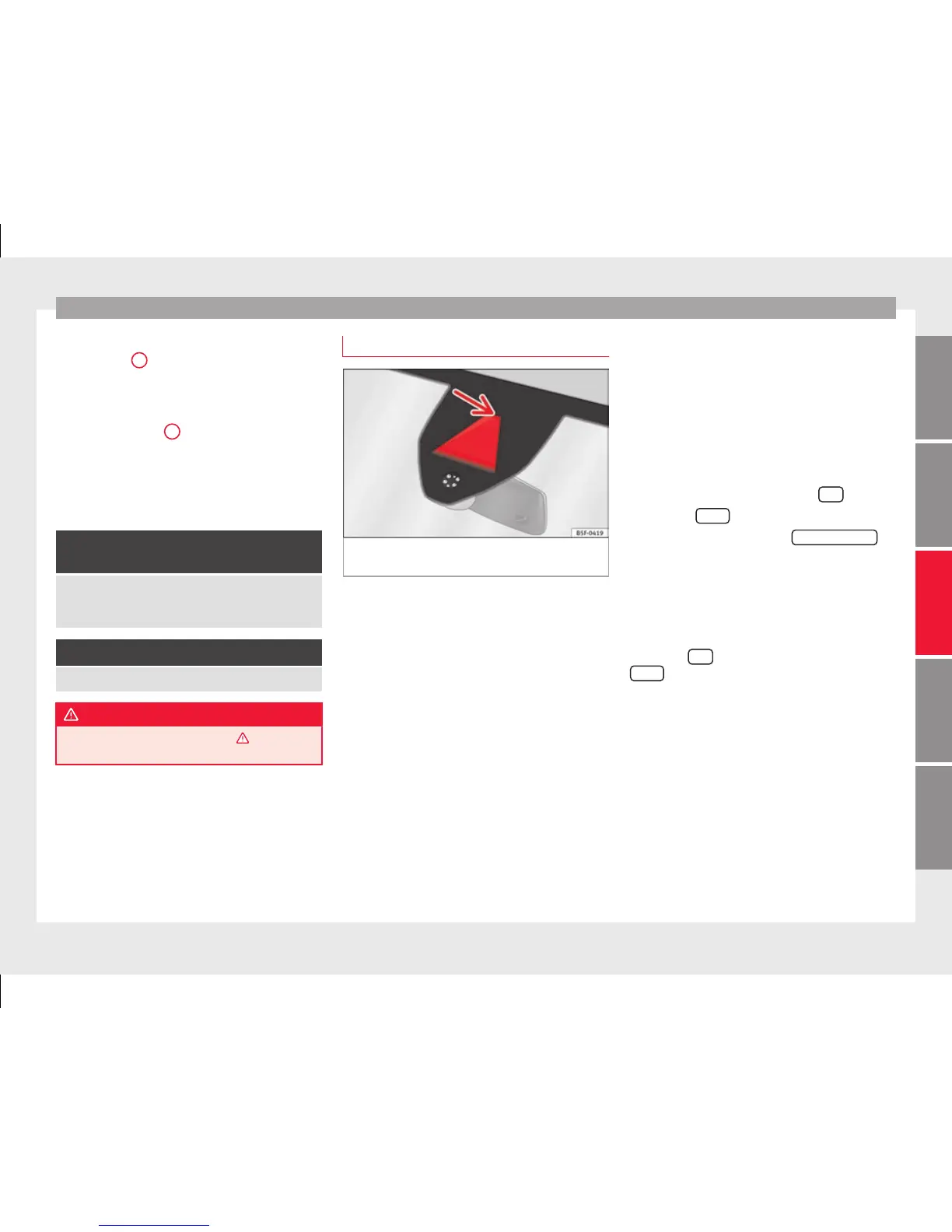
Fig. 191 In the windscreen: field of vision of
the Lane As
s
ist system camera.
Using the camera located in the windscreen,
the Lane As
s
ist system detects the possible
lines dividing the lanes. When the vehicle in-
voluntarily approaches a dividing line it has
detected, the system notifies the driver with
a corrective steering movement. This move-
ment can be over-regulated at any time.
No warning is produced with the turn signals
activated, given that the Lane Assist system
understands that a lane change is required.
Steering wheel vibration
The following situations can cause vibration
in the steering wheel and require the driver
to take active control of driving:
●
When the limits of the very nature of the
system are reached.
●
When the maximum rotational torque dur-
ing the corrective steering movement is not
enough to keep the vehicle inside the lane.
●
When no lane is detected during the correc-
tive steering movement.
Switching the Lane Assist system on or off
Through the Easy Connect system
●
Push the Easy Connect button
CAR
●
Push the
Set
up
function button
●
Press the function button
Driv
er a
ssistance
to
open the menu.
OR: thr
ough the driving assist b
utton
on the turn signal level*.
The Lane centring guide is activa-
ted/deactivated in the Easy Connect system
using the
CAR
button and the button on the
Set
up
function ›
›
› page 108.
Self-deactivation: the Lane Assist system can
be automatically deactivated if there is a sys-
tem malfunction. The control lamp disap-
pears.
Hands-Off Function
In the absence of steering wheel activity the
system alerts the driver with acoustic signals
and a text message on the dash panel asking
to actively take over the steering.
»
215
Technical dataAdviceOperationEmergenciesSafety



 To Next Page