The essentials
Easy Connect
CAR menu settin
g
s (Setup)
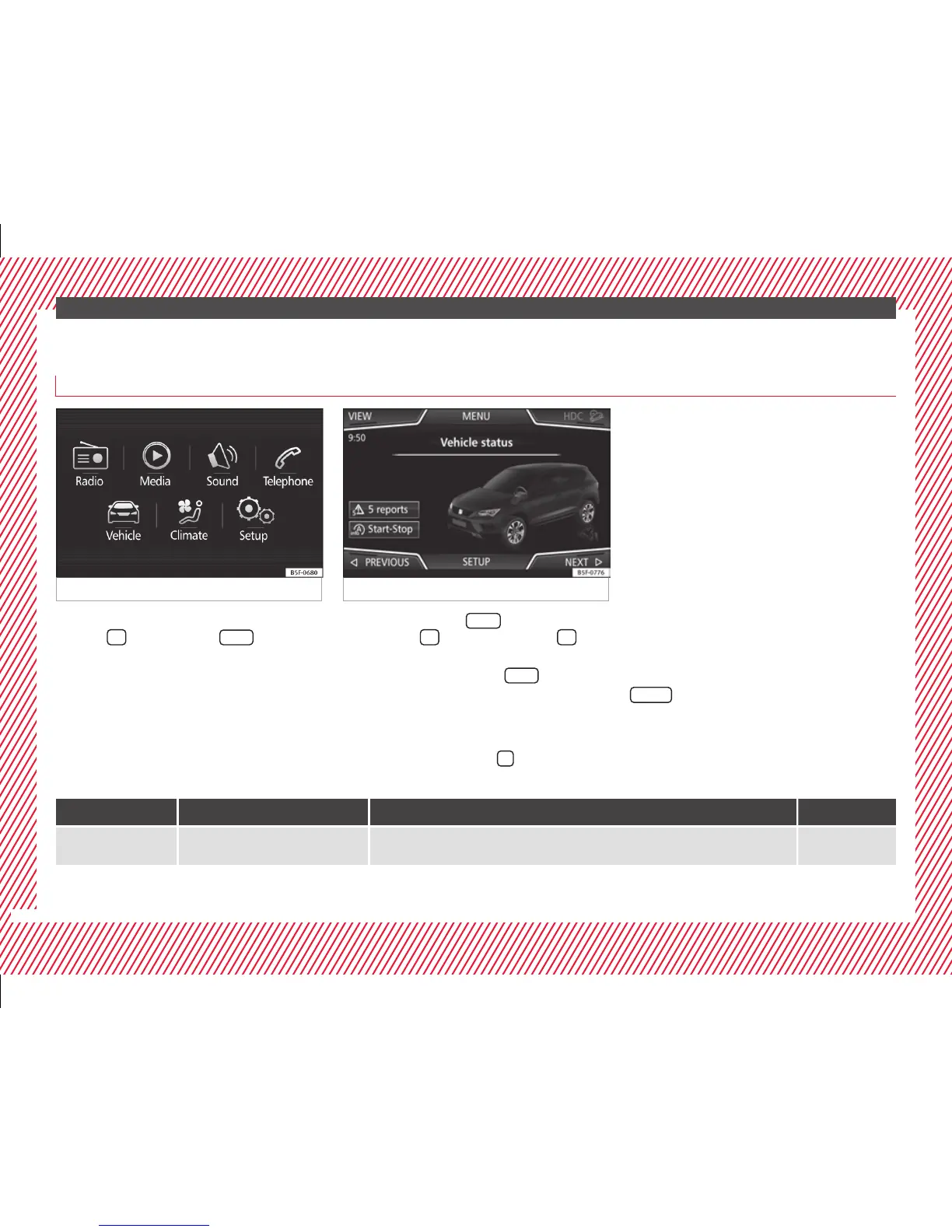
Fig. 40 Easy Connect: Main menu Fig. 41 Easy Connect: CAR menu
To select the settings menus, press the Easy
C
onnect
button and the
Set
up
function
b
utt
on.
The actual number of menus available and
the name of the various options will depend
on the vehicle’s electronics and equipment.
●
Switch the ignition on.
●
If the Infotainment System is off, switch it
on.
●
Press the system's
MENU
button and then
the sy
s
tem's
›
›› Fig. 40
button or
but-
t
on t
o go to the CAR menu ››› Fig. 41.
●
Press the function button
Setup
to open the
menu Vehicle settings ›
›
› Fig. 41.
●
To select a function in the menu, press the
desired button.
Pressing the menu button
will always take
y
ou t
o the last menu used.
When the function button check box is activa-
ted , the function is active.
Any changes made using the settings menus
are automatically saved on closing the
BACK
menus.
Menu Submenu Possible setting Description
ESC system –
Deactivating the traction control system (ASR) or selecting the Sport mode of the electronic
stability control (ESC Sport)
››› page 173
26



 To Next Page