The essentials
Driver information system
Intr
oduction
With the ignition switched on, it is possible
to r
ead the different functions of the display
by scrolling through the menus.
In vehicles with multifunction steering wheel,
the multifunction display can only be operat-
ed with the steering wheel buttons.
The number of menus displayed on the in-
strument panel will vary according to the ve-
hicle electronics and equipment.
A specialised workshop will be able to pro-
gramme or modify additional functions, ac-
cording to the vehicle equipment. SEAT rec-
ommends visiting a SEAT Official Service.
Some menu options can only be read when
the vehicle is at a standstill.
As long as a priority 1 warning is displayed, it
will not be possible to read the menus. Some
warning messages can be confirmed and
made to disappear with the windscreen wiper
lever button or the multifunction steering
wheel button.
The information system also provides the fol-
lowing information and displays (depending
on the vehicle's equipment):
Driving data
›››
page 33
■
Vehicle status
■
MFD from dep
arture
■
MFD from refuelling
■
MFD total calculation
Assist systems ››› table on page 30
■
Activate/deactivate Lane Assist
■
Reverse gear*
Navigation ››› Booklet Navigation system
Audio ››› Booklet Radio or ››› Booklet Naviga-
tion system
Telephone ››› Booklet Radio or ››› Book-
let Navigation system
Vehicle ››› table on page 30
WARNING
Any distraction may lead to an accident, with
the risk
of injury.
●
Do not operate the instrument panel con-
trols when driving.
Using the menus on the instrument
p
anel
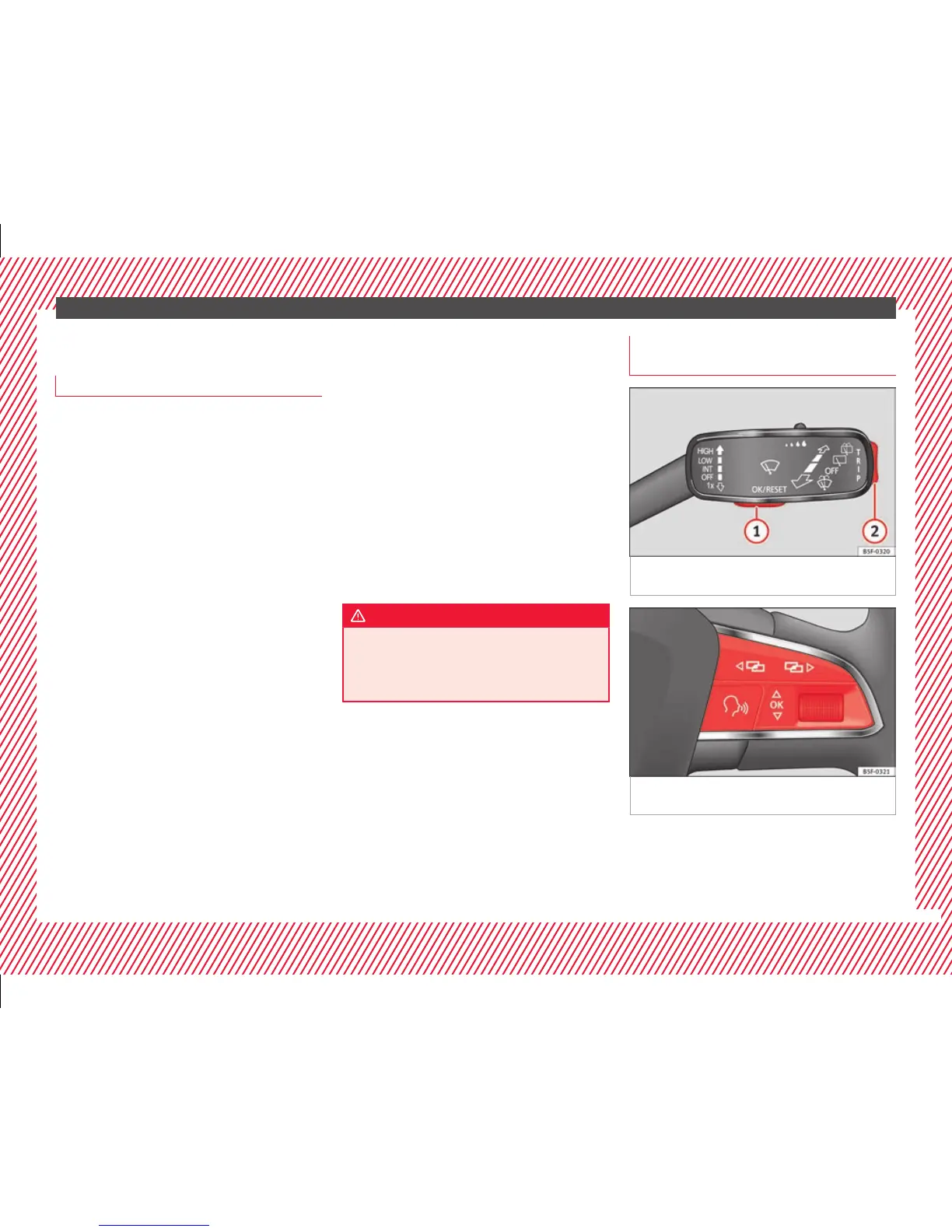
Fig. 42 Windscreen wiper lever: control but-
t
on
s.
Fig. 43 Right side of multifunction steering
wheel: c
ontr
ol buttons.
The driver information system is controlled
w
ith the mu
ltifunction steering wheel buttons
››› Fig. 43 or with the windscreen wiper lever
››› Fig. 42 (if the vehicle is not equipped with
multifunction steering wheel).
»
29



 To Next Page