Operation
Parking Aid connection
●
Engage reverse (for manual gears) or set
the sel
ect
or lever to R (for automatic gears).
Parking Aid disconnection
●
Place the selector level in position P, N or D
(for automatic gearboxes) or disengage re-
verse (for manual gearboxes). If you set the
lever to N or D, the system will remain active
for approximately 8 seconds before switching
off, except with Area View, when it will be
switched off immediately after engaging re-
verse.
Temporary suppression of sound in Parking
Aid
●
Press the function button. If you have the
Area View system installed you cannot use
the temporary suppression of sound in Park-
ing Aid.
Switch from reduced to full-screen view if the
rear assist is fitted (Rear View Camera
“RVC”)
●
Press the car icon in the reduced view.
If necessary, switch to the rear-assist image
(Rear View Camera “RVC”)
●
Engage reverse gear or turn the selector
lever to position R.
●
OR: press the RVC function icon.
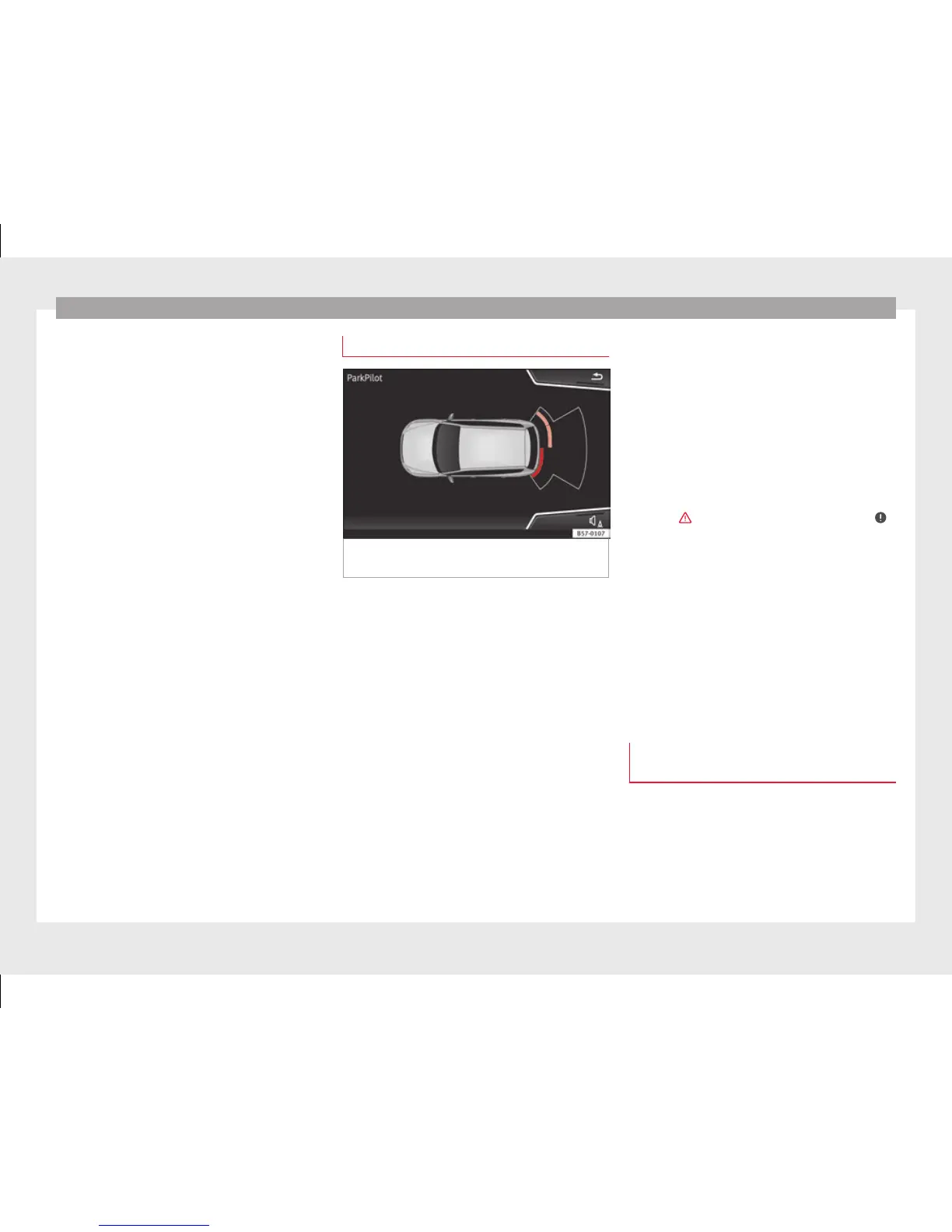
Segments of the visual indication
Fig. 211 Parking Aid display on the Easy Con-
nect
sy
stem screen.
The distance to the obstacles can be estima-
t
ed w
ith the help of the segments at the rear
of the vehicle.
The optical indication of the segments works
as follows:
they are displayed if the
obstacle is not in the vehicle's direction
of travel, even when the electric parking
brake is activated.
obstacles located in the
vehicle's trajectory and which are more
than 30 cm away from the vehicle are
displayed in yellow.
obstacles that are less than
30 cm away from the vehicle are dis-
played in red.
White segments:
Yellow segments:
Red segments:
Whenever the obstacle is located in the vehi-
cle’s direction of travel, the corresponding
audible warning will sound.
As the vehicle approaches an obstacle, the
segments are displayed closer to the vehicle.
When the penultimate segment is displayed,
this means that the vehicle has reached the
collision zone. In the collision zone, the ob-
stacles are represented in red, including
those out of the path. Do not continue to re-
verse ›››
in Description on page 244, ›
›
›
in Description on page 245!
If
you are equipped with Area View
Segments are not displayed when the vehicle
is equipped with Area View.
The PDC system will issue an audible warning
for objects that are near the rear of the vehi-
cle, and the Area View image will be available
on the screen, giving a real image of the ob-
jects around the car.
Adjusting the display and audible
warnings
The settings for the display and audible
w
arnin
gs are controlled via the Easy Con-
nect*.
Rear volume*
Volume in the rear area.
246



 To Next Page