Operation
Examples of optical illusions caused by the
cameras:
– If the vehicle approaches protruding objects. These
objects may be outside the cameras' angle of visibility.
Trailer mode
The Ar
e
a View system conceals, in the rear
camera area, all the auxiliary guiding lines
when the factory-fitted towing bracket is con-
nected electrically to a trailer ››› page 255.
Note
In order to become familiar with the system
and its
functions, SEAT recommends that you
practice handling the Area View system in an
area where there is not too much traffic or in
a car park.
Menus of the Area View system (modes)
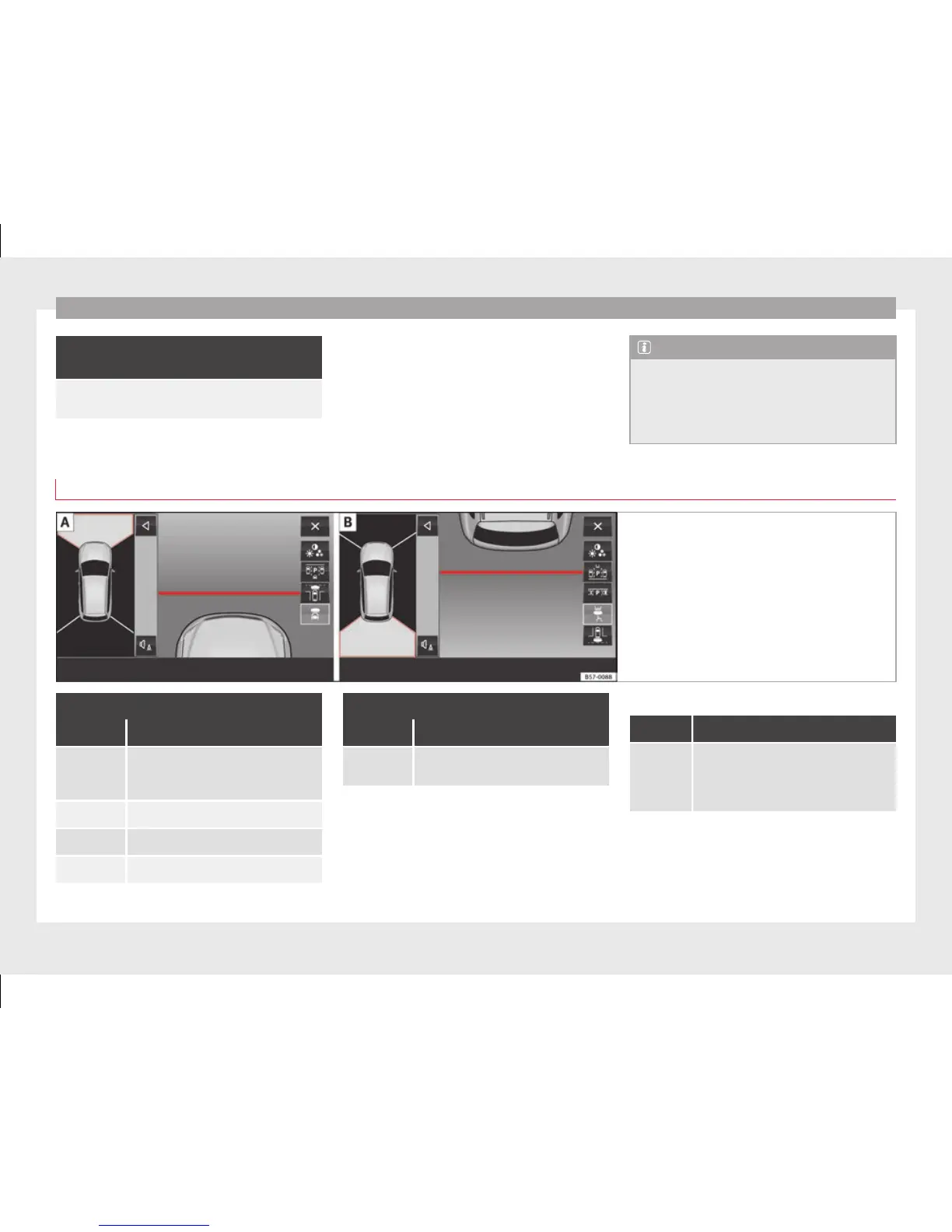
Fig. 214 Display on the Area View system
screen: Front camera: off-road view Rear
camera: off-road view
Key to the Fig. 214:
Symbol Meaning
Depending on the equipment: connect-
ing and disconnecting the ParkPilot
sound.
Showing the reduced display.
Hiding the reduced display.
Exiting the Area View system screen:
Key to the Fig. 214:
Symbol Meaning
Setting the display: brightness, contrast
and colour.
Aerial views (bird's eye view)
View On-screen display of all cameras
Main
mode
The vehicle and its immediate vicinity
seen from above are shown. Depending
on the equipment, the ParkPilot's path
may also be displayed.
250



 To Next Page