offline printing
YourV3printerisequippedwithanSDcard.Ifyou
choosetheOfineoption,youcanunplugyour
computerfromtheprinteroncetheprintcommandhas
fully‘spooled’totheprinter(thismaytakesometime).
download eXclusiVe V3 designs
Wehaveacollectionofexclusive3Dmodels,allcreated
andtestedontheV3printer.Toobtainthem,visitthesite
belowandenterthecode
V3eXclusiVeand
downloadthesebrilliantdesigns.Signupandwewilllet
youknowwhennewmodelsareavailabletoo!
SLICING
Yourstllemustbe‘sliced’intolayersbeforeprinting.
Thesoftwaredoesthisforyou,althoughyoualsohave
theoptiontoalterdefaultvaluestocustomiseyourprint.
SUPPORT STRUCTURES
Somestlleswillprintmoreeffectivelywiththeaidof
supportstructures–‘props’ofPLAorABSthatextend
betweentheobjectandthebuildplate.Printingwith
supportsisrequiredwhencreatingshapeswith
undercuts,overhangsorbridges,astheseareotherwise
liabletodrooporcollapse.
Onceanobjecthasprinted,thesupportstructuresmust
beremovedmanually,andthesurfaceofyourobjectwill
neednishingoffbycuttingwithtin-snips,orbyling.
Supportstructuresareaddedduringtheslicingprocess
(seeleft).
PRINTING
Onceyourleissliced,clickPrint.Printingwill
commenceoncetheplateandnozzlereachoperating
temperature.The estimated print time is shown in the
bottom right-hand corner of the screen.
At the start of the print, the plate rises to meet the nozzle,
which first lays down a perimeter skirt of plastic before
commencing on the object itself. Your computer screen
displays a grey representation of the print in progress, with
each new layer shown in red (see below).
Once printing has
finished, use the
scraper tool to ease the
object and any other
material from the build
plate. Give the printer a
couple of minutes to
cool down before
switching off.
ii
6. slicing and printing
VISIT www.3dprinter-collection.com TO DOWNLOAD AND INSTALL THE SOFTWARE
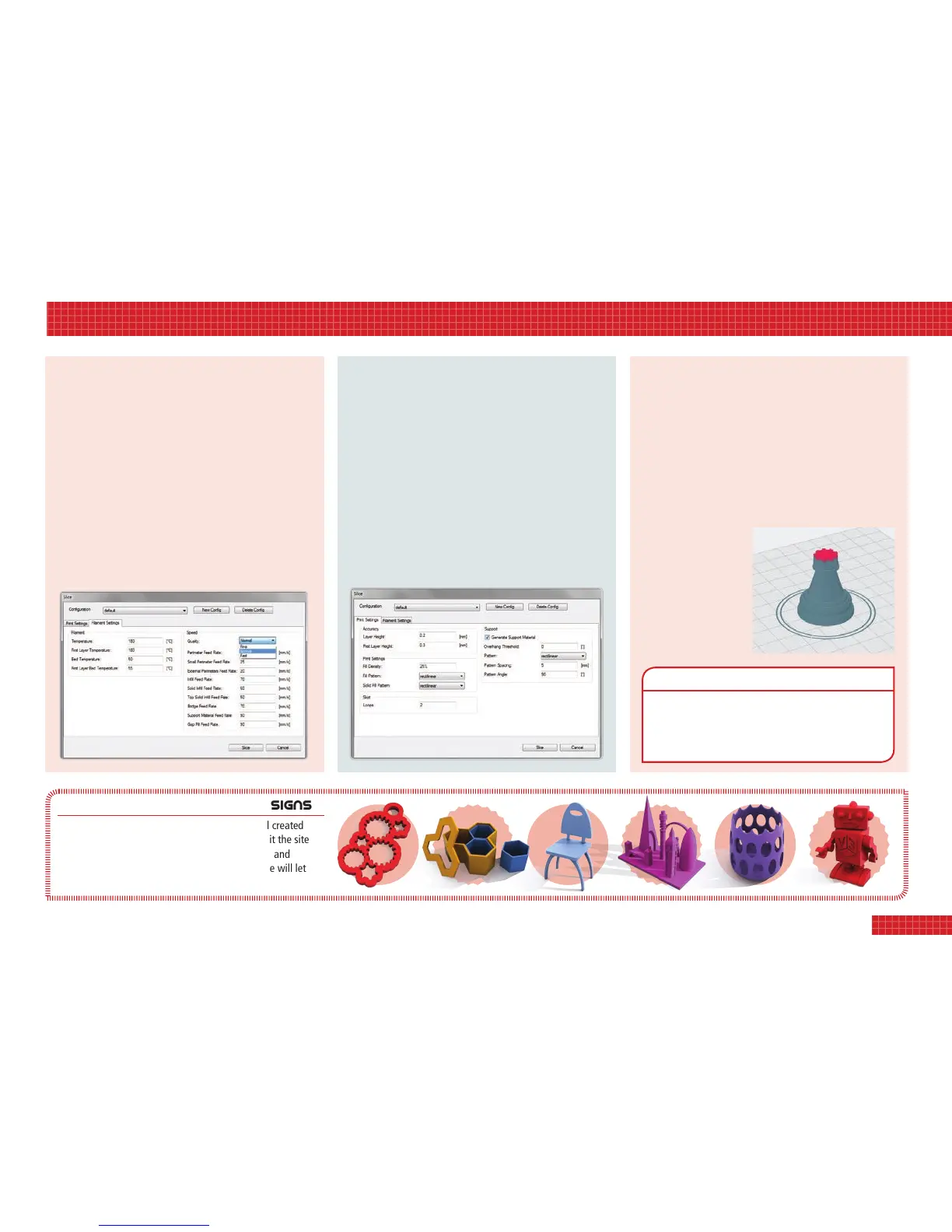
• Click the red Slice button to bring up the Slicing Settings.
• Select the Filament Settings tab; the drop-down menu
allows you to select between Fine, Fast and Normal
(below). Fine gives a higher quality print but will take
longer to print. Fast gives the quickest print time but the
lowest print resolution. Normal is a mid-range option.
• If your build requires support structures (see right), select
the Print Settings tab and tick the box labelled Generate
Support Material.
• Click Slice.


 To Next Page
 Loading...