i
2
Findasuitablesite,suchasa
deskorbenchtop,withaat
surface.TheV3hasacompact
footprint,butyouwillwant
spacenearbyforaPC,plus
roomforyourprojects.
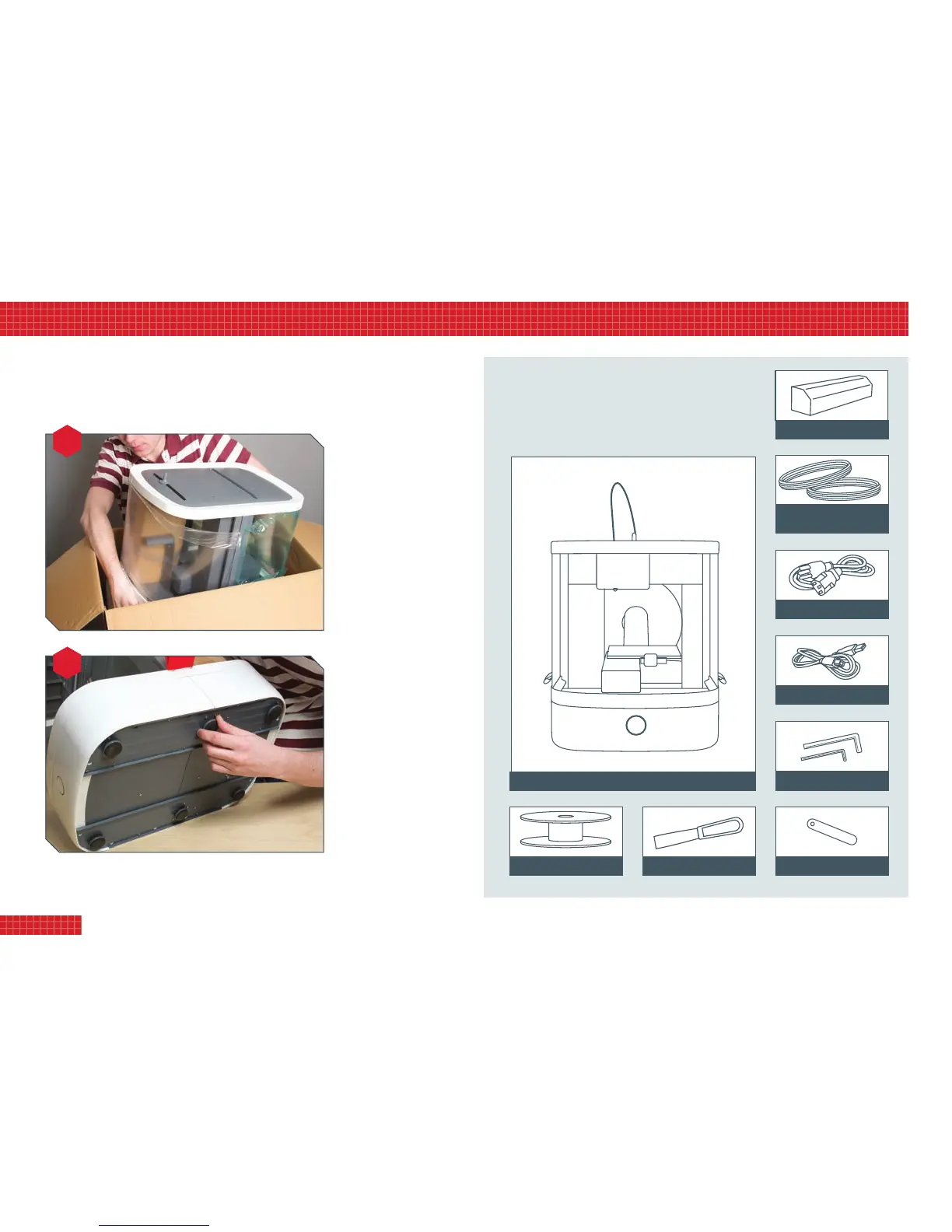
Nowremovethetoptrayfrom
theboxandcarefullytakeout
theprinter.Easeyourngers
underthebase;DONOTlift
theprinterbythetoporsides
ofthehood,orbythered
hoodtabs.
Settheprinterdownand
checkforstability.Ifitrocksat
all,gentlylayitonitssideand
adjusttheheightofthefeet
untilitiscompletelystable.
Itispreferable,thoughnot
essential,fortheprintertobe
levelduringoperation.Check
byplacingaspiritlevelonthe
baseplatform,andadjustfeet
asnecessary.
Becauseyourprintercontainsprecisionmovingparts,itwascarefullypreparedforshipping,and
requiresnalassemblybyyou.Pleasefollowtheseinstructionswhenassembling.Youwillneeda
medium-smallPhillipsscrewdriverandagoodpairofscissors,plustheAllenkeyssupplied.
Beforeassembly,checkthatyouhavealltheitemsshown
below.Someoftheseyouwillndpackagedwithinthe
cardboardboxtapedtotheprintergantry.
i. unboXing
4
unpacking your printer
in the boX
Power supply
USB cable
Allen keys
Scraper tool
Filament reel
Vector 3 printer (shown assembled)
Calibration gauge
2 x 100g PLA 1.75mm
filament in red & white
Printer parts (shipping box)


 To Next Page