Replacement instructions
seca 284/ 285
13.09.2010 /KSP 7 30-34-00-811
2.4 Setting the sliding elements and the brake
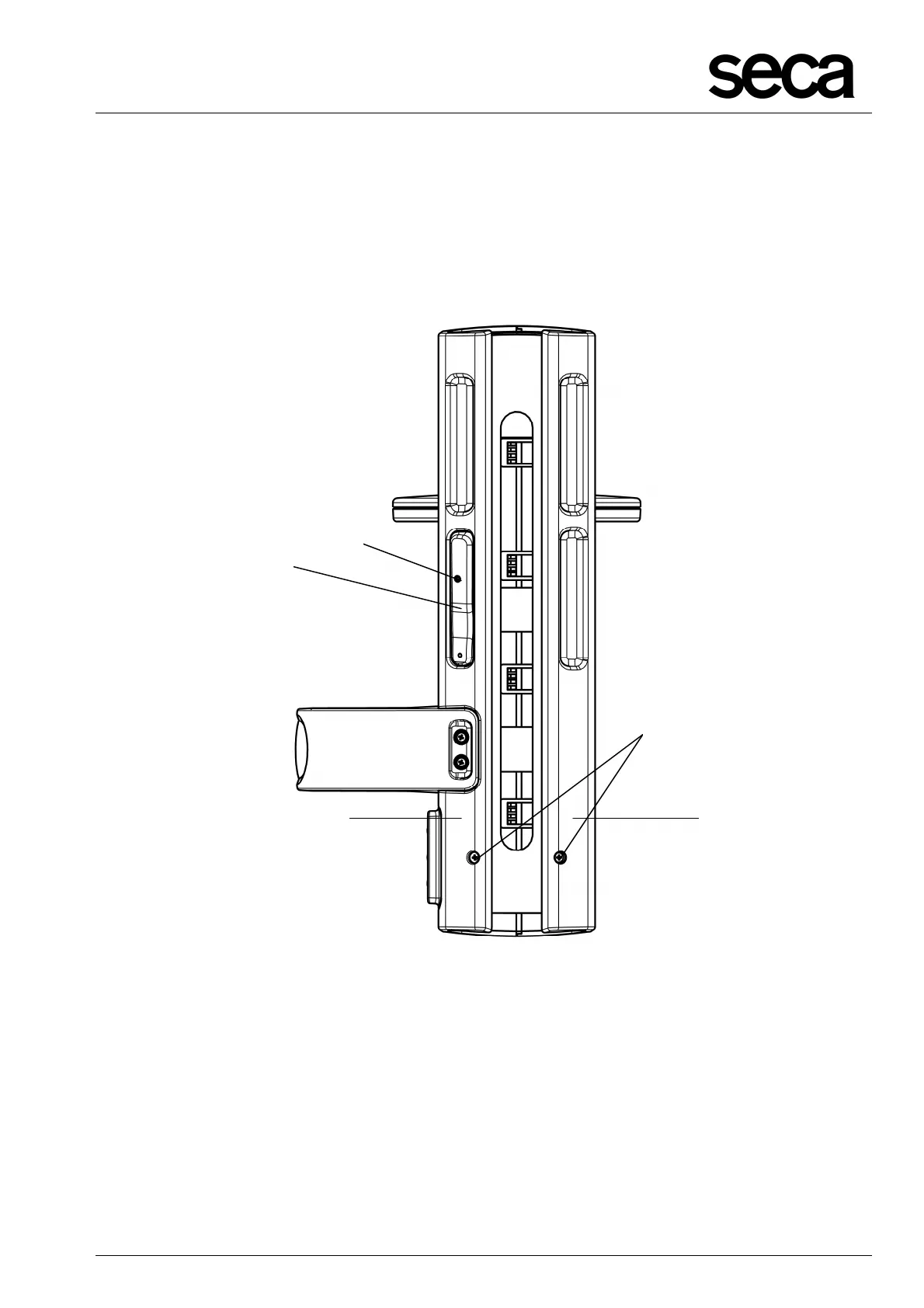
• To set the friction of the sliding elements (G; H, Fig. 6) when the brake switch (F) is
pressed, the screws (J) on the jacket backsides (K; L) can be screwed in or out.
• To set the friction of the brake, the setscrew (E) can be turned in.
Figure 7: Setting the friction of the sliding elements and adjusting the brake
F
J
K L



 To Next Page