Replacement instructions
seca 284/ 285
13.09.2010 /KSP 8 30-34-00-811
2.5 Replacing the electronics
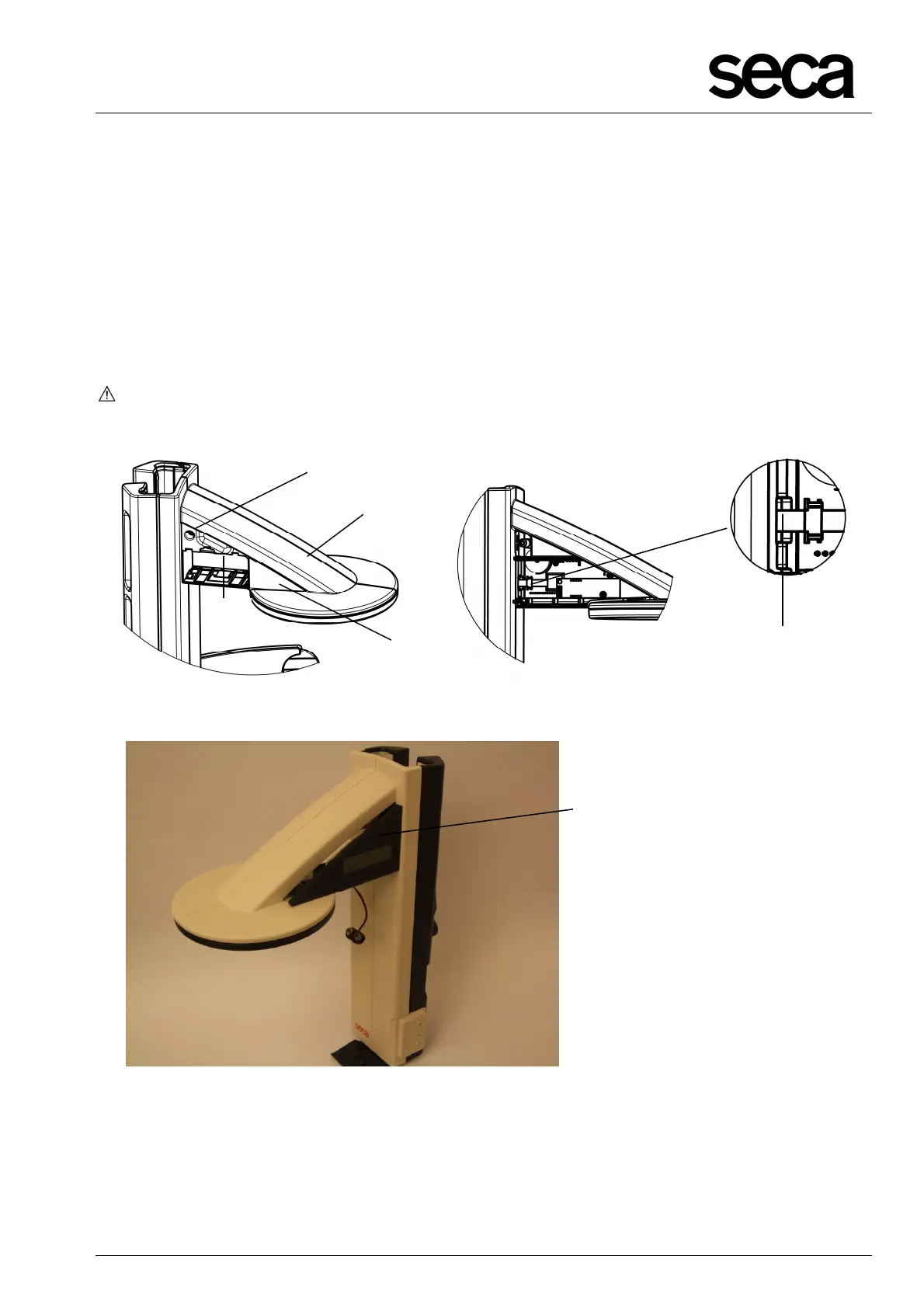
• Remove the battery holder and slacken the screw (Y).
• Position the slider (A) vertically, grip the battery compartment (N) at the tip of the
battery compartment (N1) and pull out the battery compartment (N) horizontally from
the slider (A).
• In its fitted position, detach the 10-pole FFC cable (T) from the plug of the display
module.
• Now you can also remove the display housing with viewing glass (P, Fig. 9) to the
side.
Attention: When assembling, first push the 10-pole FFC cable (T) into the FFC ZIF
connector and then fit the display housing with viewing glass.
Figure 8: Replacing battery compartment and display module
Figure 9: Replacing the display housing with viewing glass
P
N
N1
A
Y
T



 To Next Page