Overview • 15
3.3 Color symbols and other controls
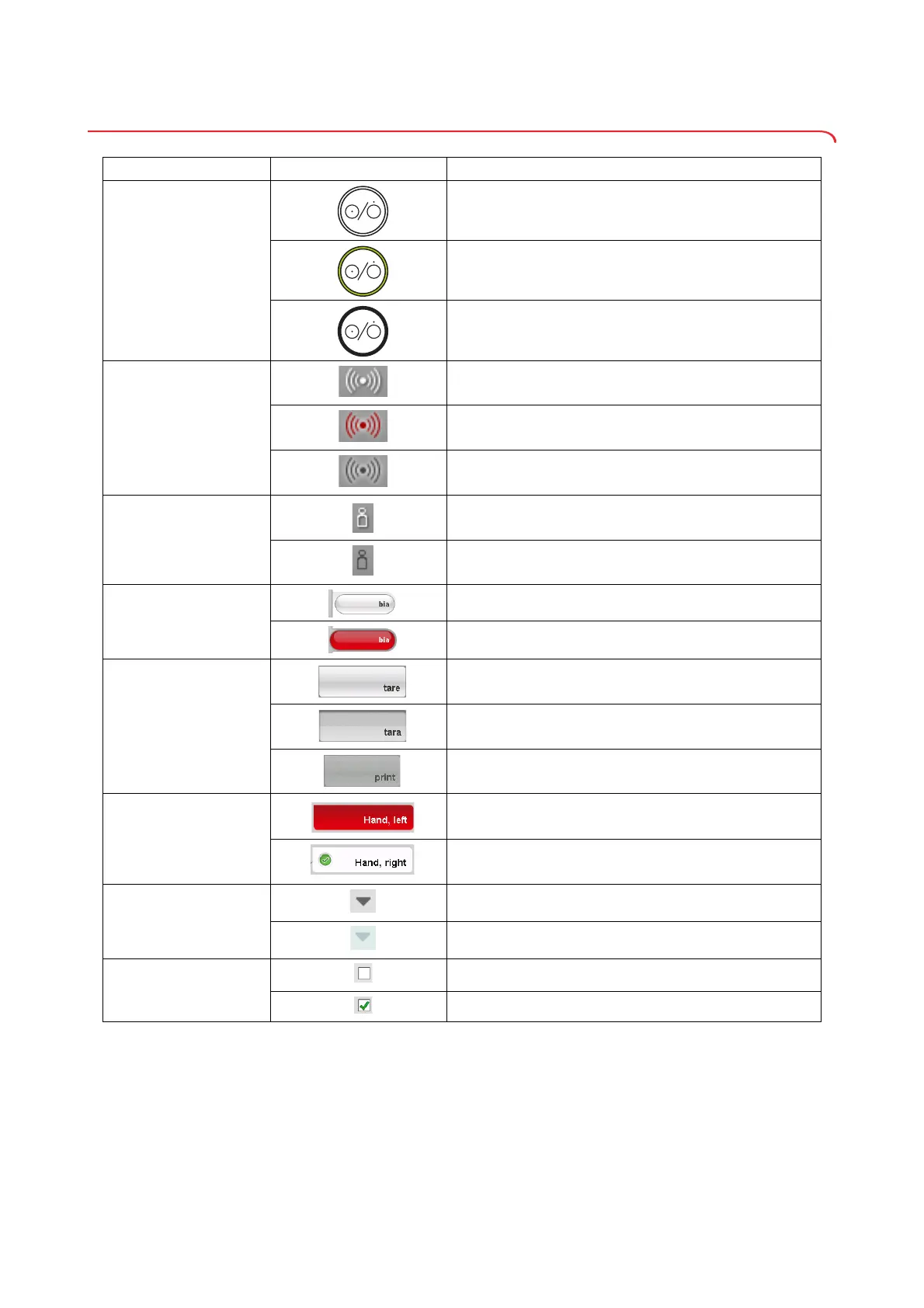
Control/display Symbol Meaning
ON/OFF button
LED white: device on
LED green: device on standby
LED off: device off
Data connection
symbol, in this case:
seca 360° wireless
connection to a PC with
seca 115
White: connection available
Red: data being transmitted via the available connection
Gray: connection not available
Login symbol:
log in to a seca patient
database
White: user is logged in
Gray: no user logged in
Tab
White: tab not selected
Red: tab selected
Buttons
Light gray: function available
Gray: button pressed, function selected
Dark gray: function not available
Electrode indicator (for
bioimpedance
measurement)
Red: contact poor
Green: contact good
Drop-down triangles
Gray: function available
Light gray: function not available
Checkboxes
No tick: function deactivated
Tick: function activated



 To Next Page