EasyManua.ls Logo

Seca 515 - User Manual

Seca 515
84 pages
Print Icon
To Next Page IconTo Next Page
Loading...
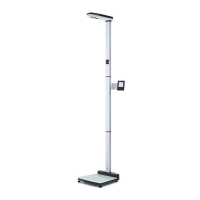
seca 515/514
Instructions for use
for
doctors and assistants
Software version 1.1

Table of Contents

Questions and Answers

  • L
    Lisa DickersonSep 8, 2025
    Why is the value of an evaluation parameter shown in red on Seca 515 Measuring Instruments?
    • T
      Taylor CraigSep 8, 2025
      If a value of an evaluation parameter is shown in red on your Seca Measuring Instruments, it indicates that the value is outside the normal range determined for that parameter. Repeat the measurement to rule out any errors. If the repeat measurement also shows a value outside the normal range, consider this value in further investigations.
  • E
    Elijah MooreSep 7, 2025
    What to do if the message “Electrode detection failed” appears on Seca Measuring Instruments?
    • W
      williestewartSep 7, 2025
      If you see the message “Electrode detection failed” on your Seca Measuring Instruments, it could be due to: * The patient’s skin being too dry. Spray the skin with electrode spray at the contact points. * The patient’s skin being too calloused. Spray the skin with electrode spray at the contact points.
  • E
    evanslauraAug 22, 2025
    Why my Seca 515 Measuring Instruments device cannot be switched on?
    • J
      Janet BarkerAug 22, 2025
      Your Seca Measuring Instruments device might not be switching on due to a lack of power supply. Check to ensure that power is being supplied to the device. Alternatively, the power pack could be faulty, in which case you should replace it with an original part.
  • T
    Teresa WestSep 4, 2025
    What does TEMP message mean on Seca 515?
    • E
      Elizabeth CookSep 4, 2025
      The TEMP message on Seca Measuring Instruments indicates that the ambient temperature is either too high or too low. Set up the device in an ambient temperature between +10 °C and +40 °C and wait for approximately 15 minutes until the device has adapted to the ambient temperature.
  • W
    William CowanSep 3, 2025
    What does ER16 message mean on Seca 515 Measuring Instruments?
    • J
      john56Sep 3, 2025
      The ER16 message on Seca Measuring Instruments indicates that natural vibration has been induced in the device, and the zero point could not be determined. To solve this, restart the device and then restart the measurement.
  • C
    Corey DavisSep 1, 2025
    Why 0.00 does not appear before weighing on Seca 515 Measuring Instruments?
    • M
      Marissa CooperSep 2, 2025
      If '0.00' does not appear before weighing on your Seca Measuring Instruments, it could be because the device had a load on it before it was switched on. Remove the load from the device, switch it off, and then switch it back on again.
  • M
    Marilyn GarciaAug 31, 2025
    What does the STOP message mean on Seca 515?
    • C
      cindyandersonAug 31, 2025
      The STOP message on Seca Measuring Instruments indicates that the maximum load has been exceeded. Remove the load from the device to resolve this issue.
  • T
    Trevor HernandezAug 30, 2025
    Why is the print function not available on my Seca 515 Measuring Instruments?
    • A
      Austin WillisAug 30, 2025
      The print function may not be available on your Seca Measuring Instruments due to incompatible software versions. Make sure you are using compatible software versions, with the device running at least software version 1.1 and the PC software at least version 1.4.
  • J
    Jeanette RobertsAug 28, 2025
    What to do if the touchscreen display is not reacting on Seca 515 Measuring Instruments?
    • J
      Jonathan BakerAug 29, 2025
      If the touchscreen display on your Seca Measuring Instruments is not reacting, it may be in an undefined state due to implausible input. Try switching off the device by holding the on/off button for approximately 3 seconds, and then switch it on again.
  • D
    davidgrayAug 27, 2025
    What does ER12 message mean on Seca 515 Measuring Instruments?
    • A
      Amanda RodriguezAug 27, 2025
      The ER12 message on Seca Measuring Instruments means that the device was switched on with too heavy a load. To fix this, remove the load from the device and restart it.

Summary

User Qualification and Contraindications

SAFETY INFORMATION

Safety rules and basic information

Outlines general safety rules, handling precautions, and risks like explosion or electrical hazards.

Handling and device damage prevention

Provides guidance on preventing electric shock, patient injuries, infections, and damage to the device during use.

GETTING STARTED

OPERATING THE DEVICE

Determining weight and height

Provides step-by-step instructions for accurately measuring patient weight and height.

Performing bioimpedance measurement

Details the procedure for conducting a bioimpedance analysis, including module selection and patient positioning.

Managing patient data

Covers accessing patient databases, searching, creating new files, and assigning measurements.

CONFIGURING DEVICE SETTINGS

Adapting default module selection

Explains how to configure default module selections for bioimpedance analysis and manage their display.

Saving and exiting settings

Details how to apply, save, and exit device settings and user menus to configure the device.

MAINTENANCE AND HYGIENE

Maintenance and verification

Covers functional checks, device maintenance, and subsequent verification for maintaining accuracy.

TROUBLESHOOTING

Data transmission and printing issues

Provides solutions for problems with data transmission, network connections, and printing reports.

Seca 515 Specifications

General IconGeneral
BrandSeca
Model515
CategoryMeasuring Instruments
LanguageEnglish

Related product manuals