Starting up the device • 79
17-10-07-653-100_01-2020B
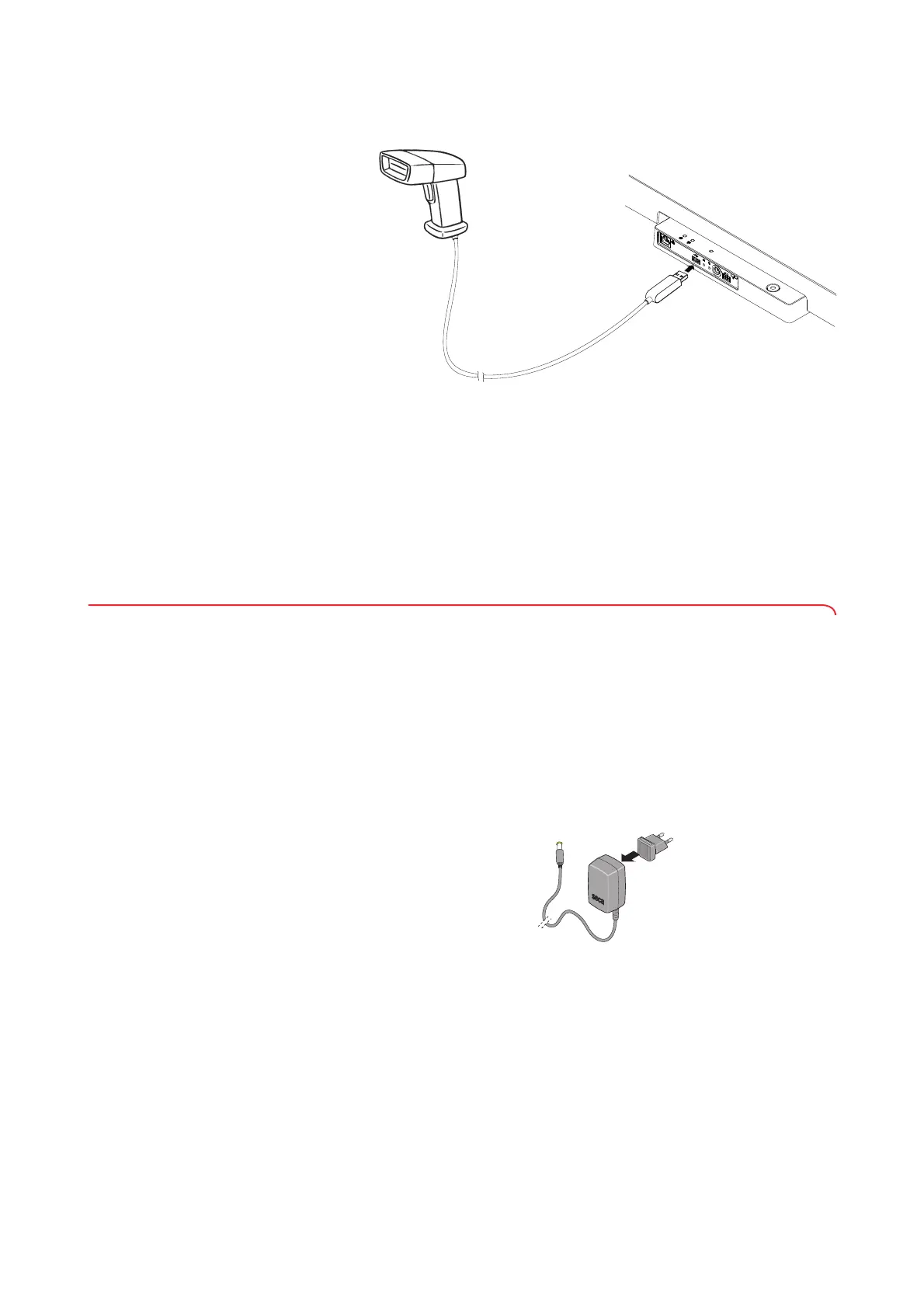
2. Plug the USB connector of the barcode scanner into the USB socket of
the weighing platform.
3. Hang the barcode scanner in a suitable holder.
NOTICE!
Incorrect measurement as a result of force shunt
The barcode scanner and scanner holder lie in the weighing-sensitive
area of the device. If the barcode scanner is not placed back in the
scanner holder after scanning, the measuring result is falsified.
► Place the scanner back in the scanner holder after each scanning
procedure.
4. Establish the power supply ➔ Establishing the power supply, page 79.
5.8 Establishing the power supply
The device is supplied with power by a plug-in power supply unit.
NOTICE!
Damage to device as a result of excessive voltage
Commercially available power supply units may deliver a higher
voltage than that stated on them. The device may overheat, catch fire,
melt or short-circuit.
► Use only the original seca plug-in power supply unit with controlled
12 V output voltage ➔ Optional accessories and spare parts,
page 111.
1. Plug the adapter required for your power supply into the power supply
unit.
2. Insert the device connector of the power supply unit into the power
supply connection socket of the device.



 To Next Page