80 • seca 651/650
17-10-07-653-100_01-2020B
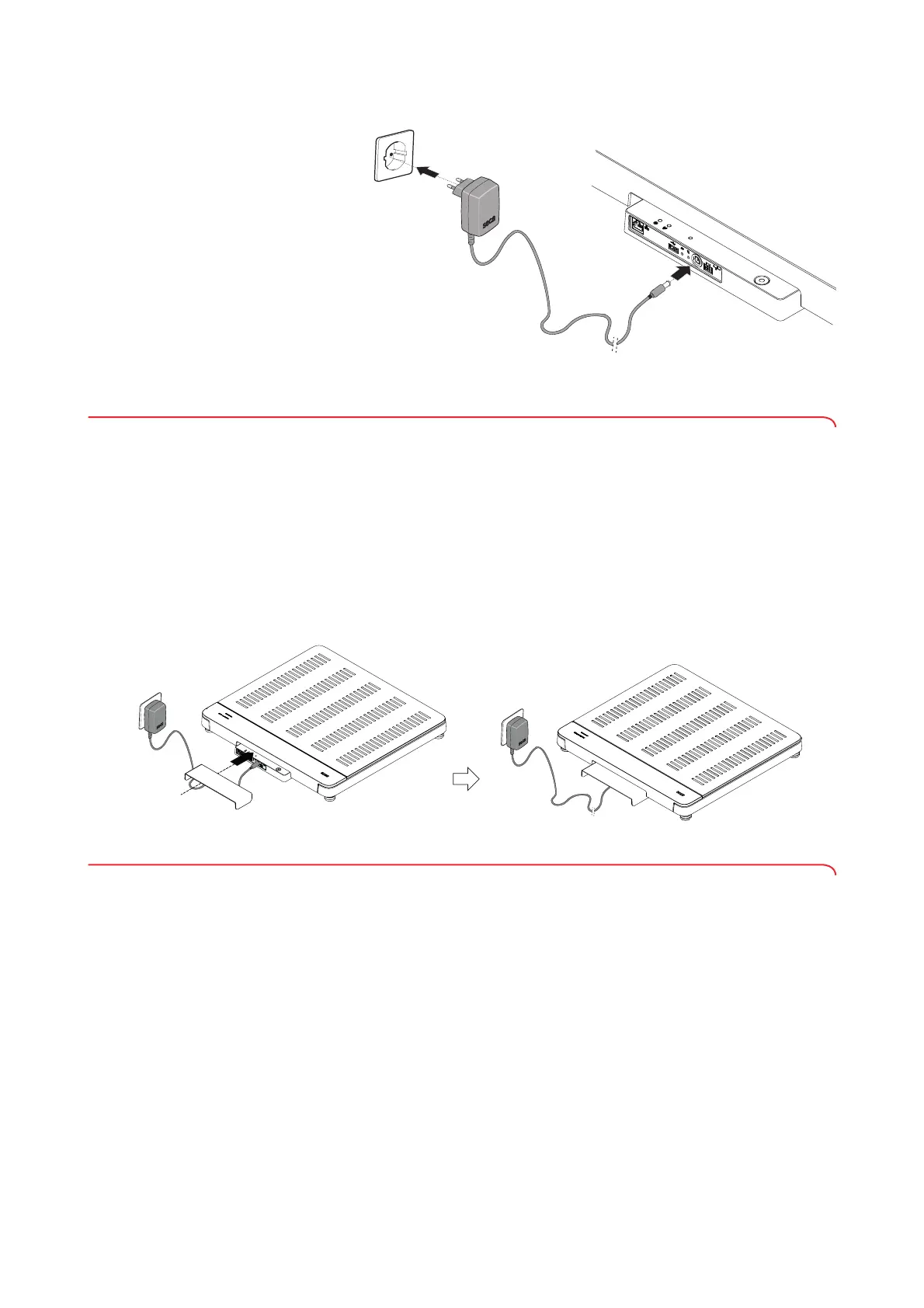
3. Plug the power supply unit into a power supply socket.
4. Perform a function check ➔ Function check, page 102.
5.9 Installing the drip guard
NOTICE!
Damage to device due to the ingress of fluids
Damage may occur to the device if dripping water or other fluids enter
the device via the connection panel.
► Only operate the device with the drip guard installed.
1. Connect all cables as described in these instructions for use and in the
installation instructions for the compatible products.
2. Position the drip guard on the connection panel as shown in the
illustration.
3. Push the drip guard beneath the weighing platform up to the stop.
5.10 Adapting device settings
You have the following options for setting the device up for different usage
situations:
• ➔ Changing the device mode, page 88
• ➔ Calling up/exiting a menu, page 89
• ➔ Setting up network functions, page 95



 To Next Page