Operation • 87
17-10-07-653-100_01-2020B
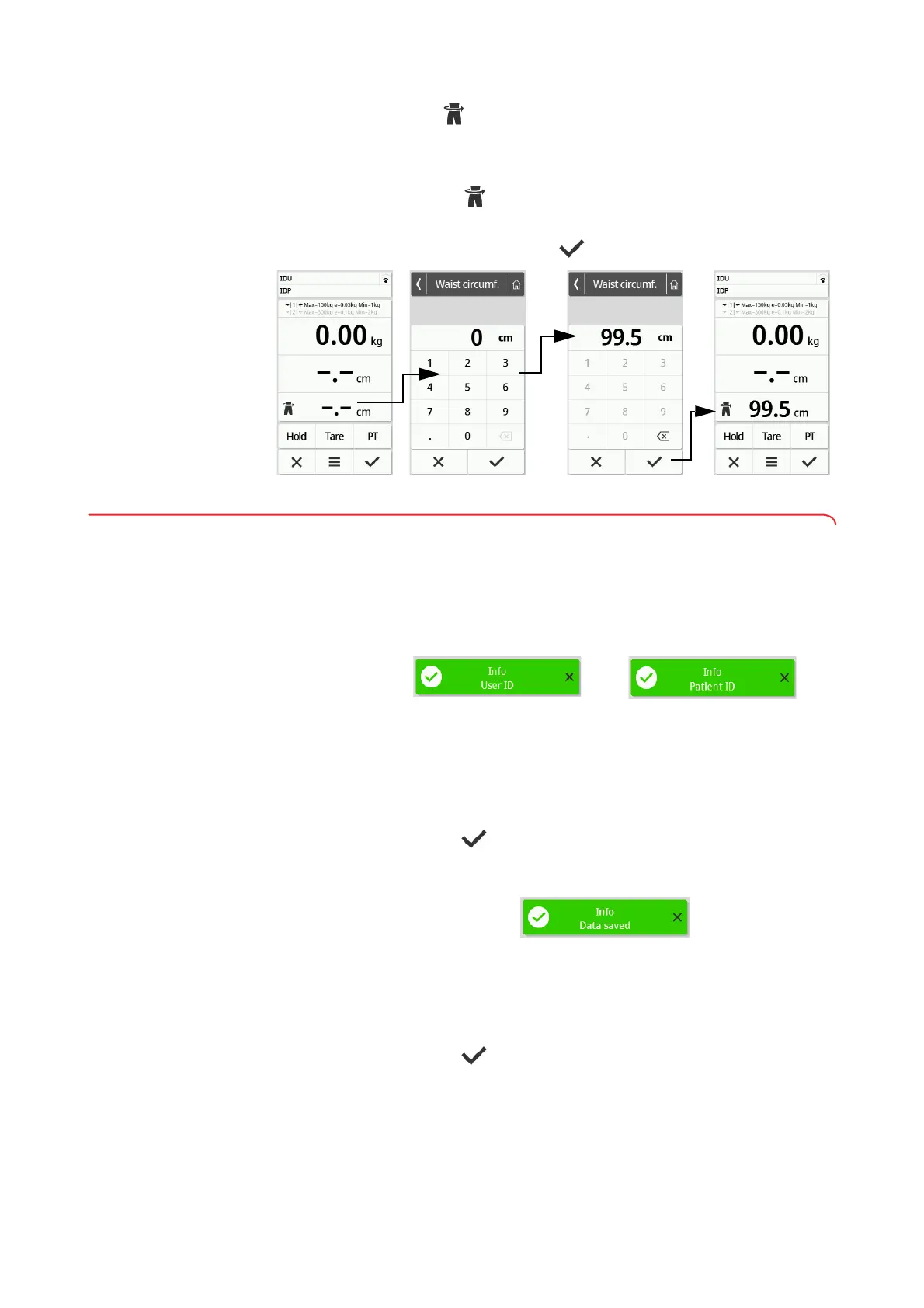
Entering waist circumference When the symbol is visible on the main screen (➔ Selecting BMI/BSA/
Waist circumf., page 91), you can enter the waist circumference of the patient
and send it to your EMR System or the seca analytics 125 software together
with further measuring results.
1. Press the display field.
2. Enter the waist circumference.
3. Confirm the entry with the key.
6.5 Completing the measurement procedure
Devices with connection to an EMR
System
To complete a measurement on devices that are connected to an EMR
System, proceed as follows:
1. Make sure that the displayed measured values are plausible.
2. Scan the patient and/or user ID.
The device indicates whether the scanned IDs are correct:
NOTE
Whether and the point in the measurement procedure at which the
IDs have to be scanned is defined when connecting the device to your
EMR System. If you have any queries in this regard, contact your
administrator or hospital technician.
3. Press the key.
The measuring results are submitted to the EMR System and are
assigned to the electronic patient file.
The device is ready for the next measurement.
Devices with connection to the
seca
analytics 125 software
To complete a measurement on devices that are connected to the
seca analytics 125 software, proceed as follows:
1. Press the key.
The Date of birth dialog window appears.
2. Enter the patient's date of birth.
Data have been submitted to the EMR System



 To Next Page