90 • seca 651/650
17-10-07-653-100_01-2020B
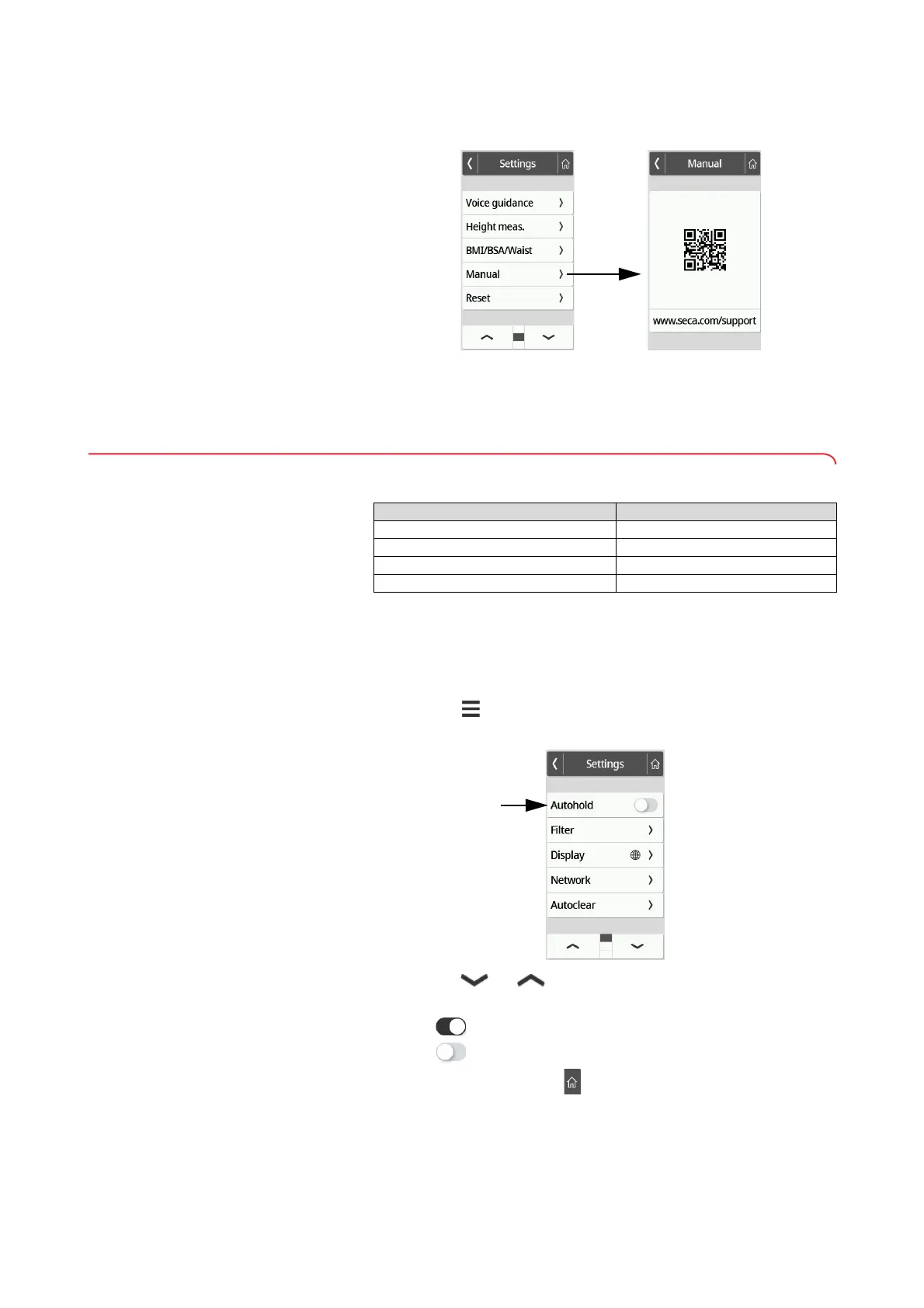
3. Press the Manual item.
A QR code is displayed.
4. Scan the QR code (e.g. with your smartphone or tablet).
This takes you to the www.seca.com/support website, where you can
download the instructions for use.
7.2 Measuring
Activating the Autohold function
If you activate the Autohold function, it is no longer necessary to manually
activate the Hold function for each individual measurement procedure.
NOTE
This function is activated at the factory on some models. The function
can be deactivated.
1. Press the key.
The Settings menu is displayed.
2. Press the or key until the Autohold menu item is displayed.
3. Select the desired setting:
– Function activated
– Function deactivated
4. To exit the menu, press the key.
Device mode Function available
Basic –
Advanced •
Expert •
Service •



 To Next Page