92 • seca 651/650
17-10-07-653-100_01-2020B
NOTE
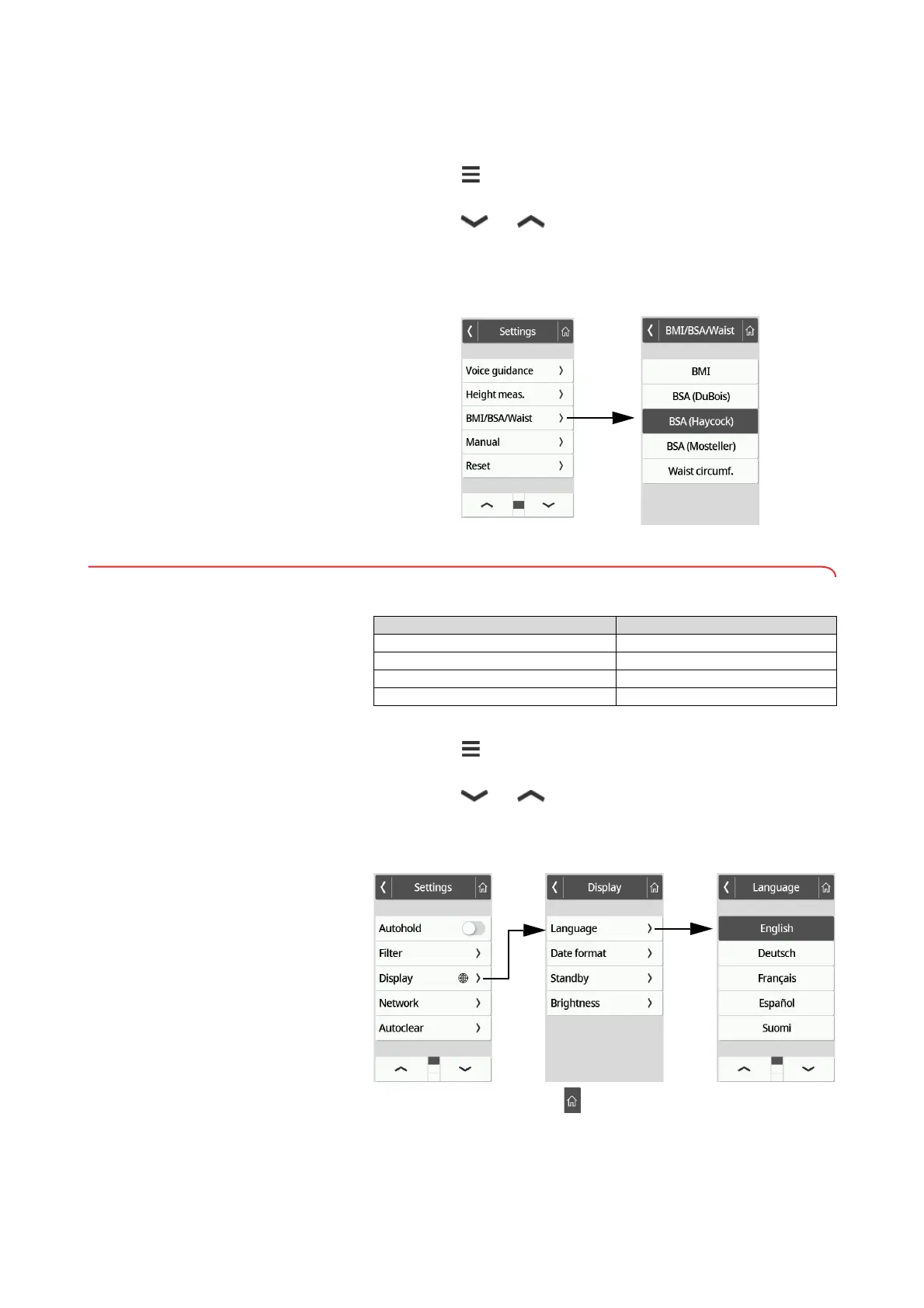
If the Waist circumf. setting is selected, automatic BMI/BSA
calculation is not possible.
1. Press the key.
The Settings menu is displayed.
2. Press the or key until the BMI/BSA/Waist menu item is
displayed.
3. Press the BMI/BSA/Waist item.
4. Press the desired setting:
The setting is active.
7.3 Adjusting display settings
Setting the display language
The display language can be set
1. Press the key.
The Settings menu is displayed.
2. Press the or key until the Display menu item is displayed.
3. In the Display menu, select the Language item.
4. Press the desired filter language.
The setting is active.
5. To exit the menu, press the key.
Device mode Function available
Basic –
Advanced •
Expert •
Service •



 To Next Page