94 • seca 651/650
17-10-07-653-100_01-2020B
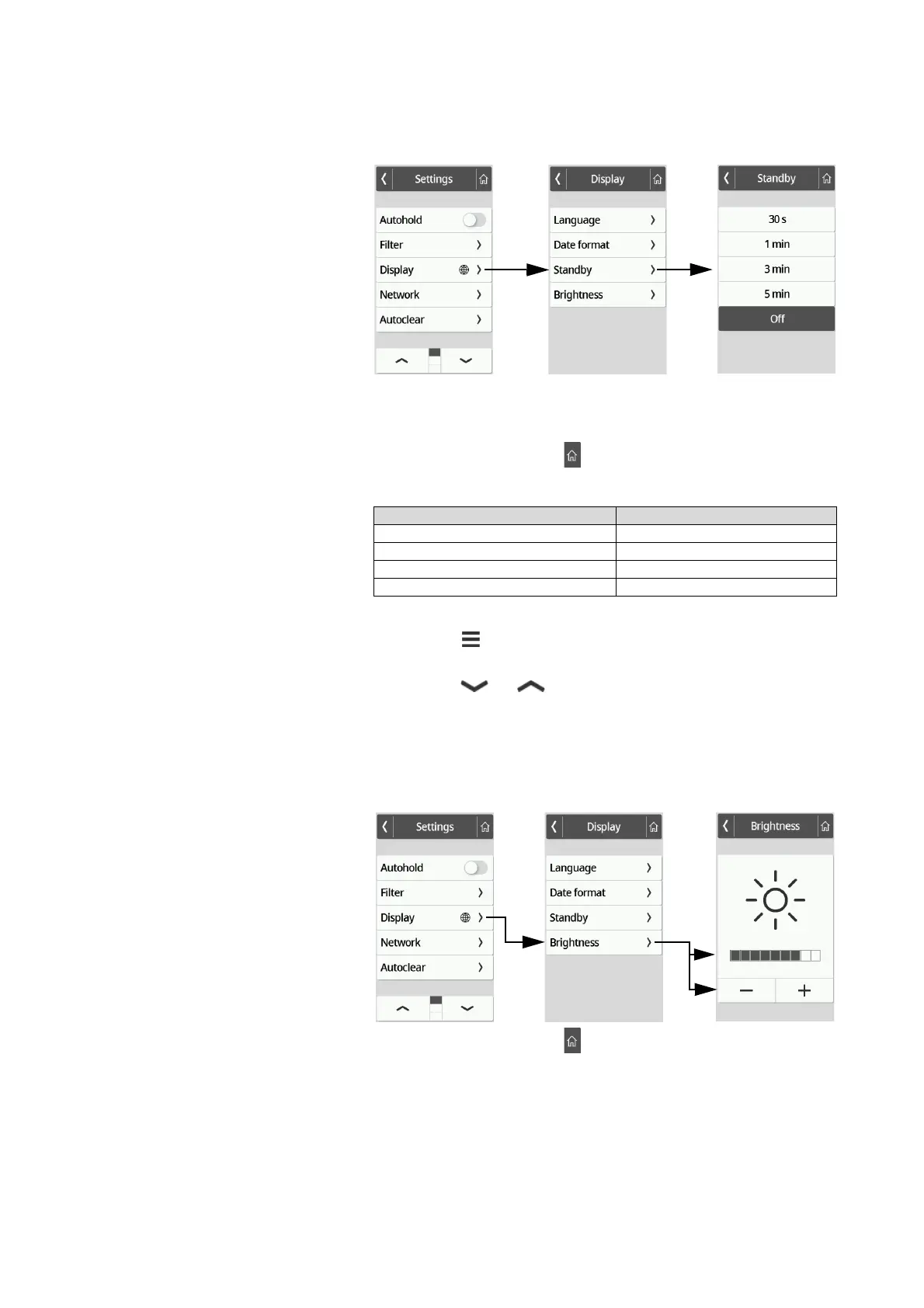
4. Press the desired setting.
The setting is active.
The display goes off after the set period of time.
NOTE
If the Off setting is selected in the Standby menu, the multifunctional
display remains permanently active.
5. To exit the menu, press the key.
Setting the display brightness
The display brightness can be adjusted in stages (0 = off, 9 = max).
1. Press the key.
The Settings menu is displayed.
2. Press the or key until the Display menu item is displayed.
3. In the Display menu, select the Brightness item.
4. Adjust the brightness:
► Press the plus/minus keys
► Press the stages in the selection bar
The setting is active.
5. To exit the menu, press the key.
Device mode Function available
Basic –
Advanced •
Expert •
Service •



 To Next Page