Configuration • 95
17-10-07-653-100_01-2020B
Switching over units
CAUTION!
Patient hazard
In order to avoid misinterpretations, measuring results for medical use
must be displayed and used in SI units (weight: Kilograms/grams,
length: Meters/centimeters) only. Some devices offer the ability to dis-
play measuring results in other units. This is only an additional func-
tion.
► Use the results exclusively in SI units.
► The use of measuring results in non-SI units is the sole responsibility
of the user.
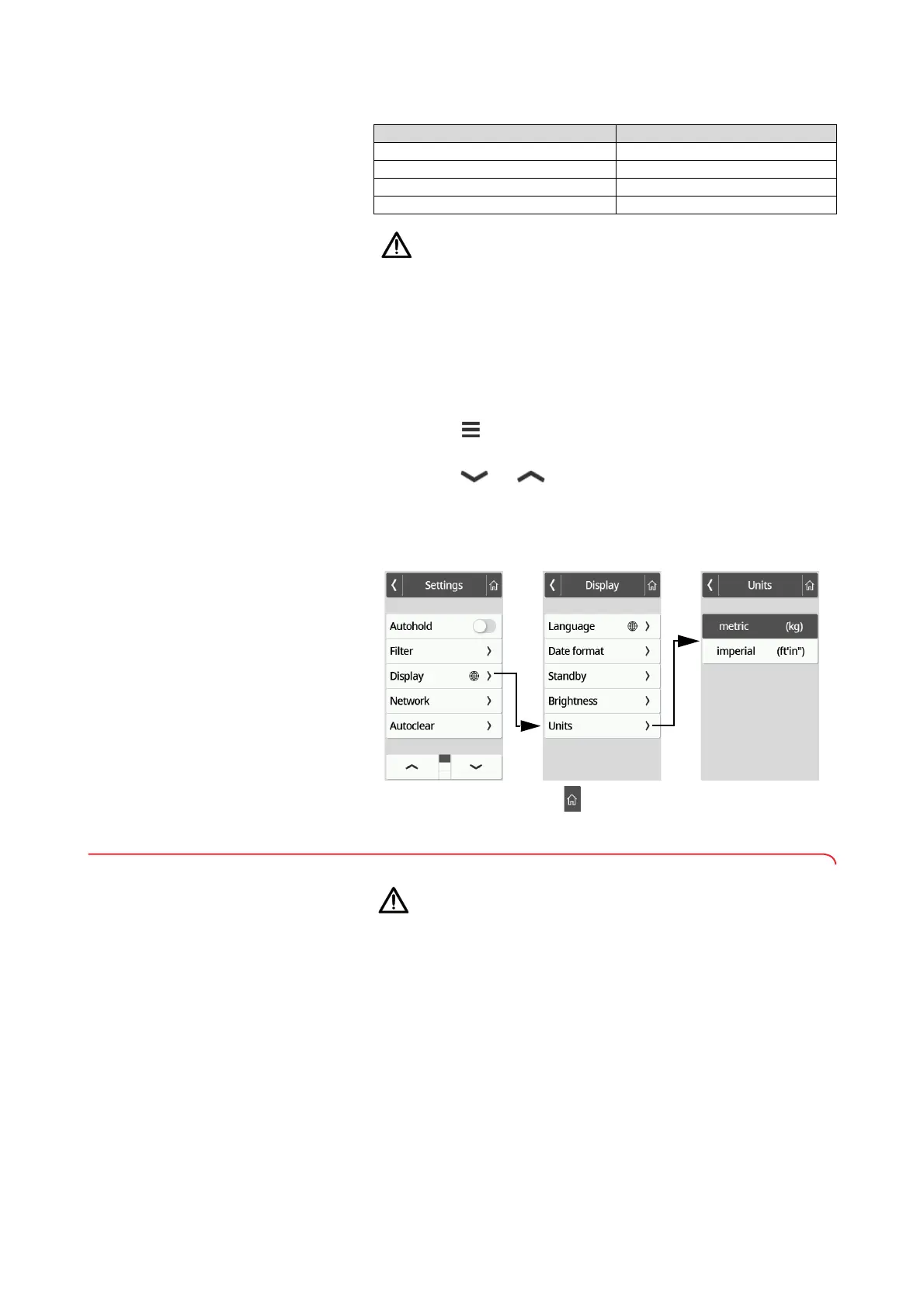
1. Press the key.
The Settings menu is displayed.
2. Press the or key until the Display menu item is displayed.
3. In the Display menu, select the Units item.
4. Press the desired system of units.
The setting is active.
Measuring results are displayed in the selected system of units.
5. To exit the menu, press the key.
7.4 Setting up network functions
CAUTION!
Malfunction, implausible measuring results
If network settings are not carried out correctly, measuring results can
be assigned incorrectly or lost.
► Have the steps described in this section carried out by your admin-
istrator or hospital technician. If you have any questions, contact
seca Service.
NOTE
As soon as the device is connected to a network, the Autohold func-
tion is activated automatically. The Autohold function cannot be
deactivated if the device is connected to a network.
Device mode Function available
Basic –
Advanced –
Expert •
Service •



 To Next Page