96 • seca 651/650
17-10-07-653-100_01-2020B
The following requirements must be met to be able to assign measured val-
ues to an electronic patient file in an EMR System or the
seca analytics 125
software:
• Device is set up in the
seca connect 103 software
• Device is connected to your network via a LAN or WiFi connection
• An interface is set up in the
seca connect 103 software to your EMR
System or the
seca analytics 125 software
• Barcode scanner is connected to the device
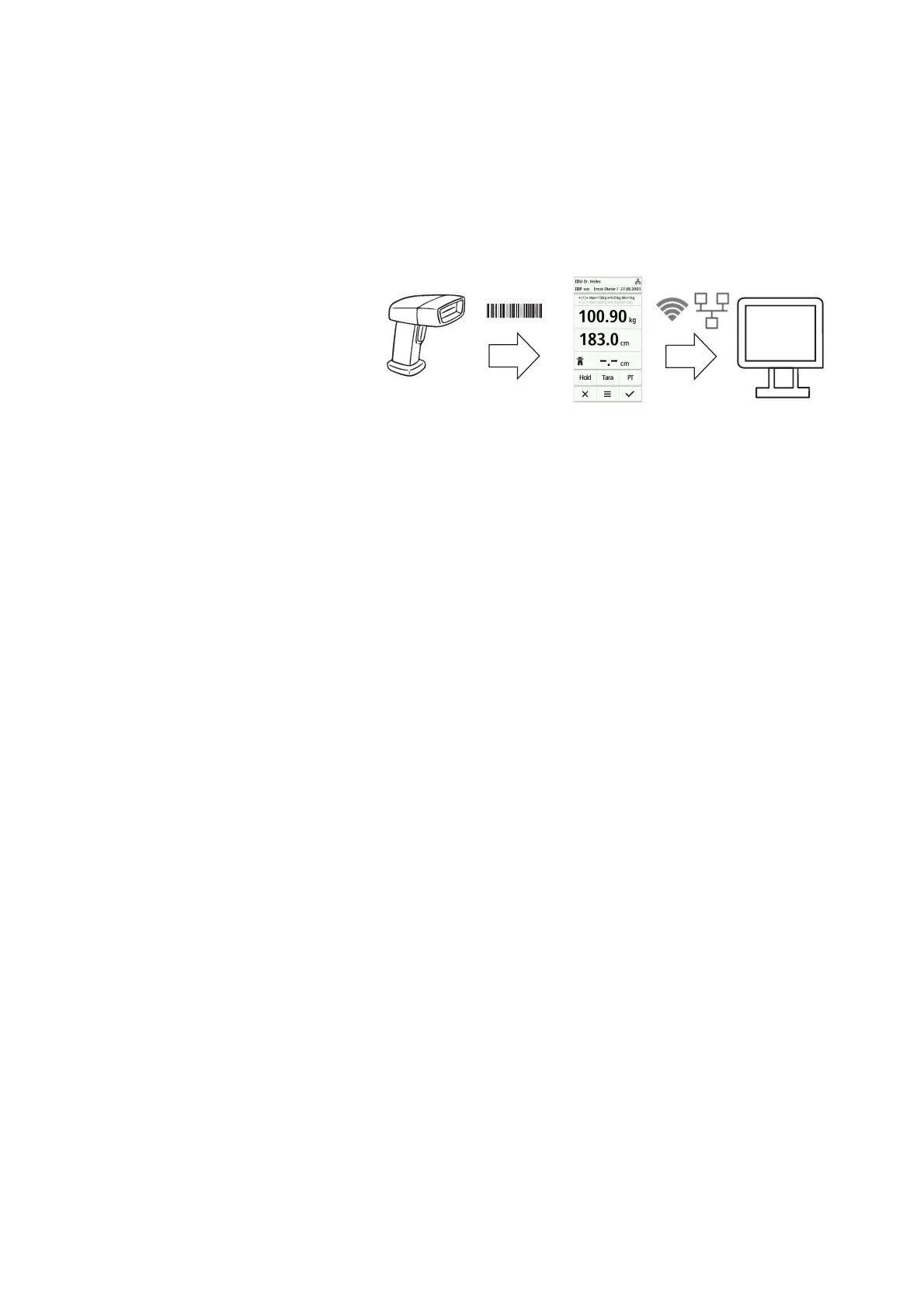
On connection to an EMR System, the measurement procedure consists of
the following steps:
• Record ID(s) using barcode scanner
• Record measured values on the device
•Use the
seca connect 103 software to transmit the measuring results
to the EMR System
NOTE
The measurement procedure (workflow settings) can be individually
adapted in the
seca connect 103 software.
Setting up the device in the
seca
connect 103 software
For data transmission between the device and your EMR System, the device
must be set up in the seca connect 103 software. Amongst others, the fol-
lowing data must be entered:
• Device name
• Setup location
• Workflow settings (measurement procedure)
• Address of the
seca connect 103 server
• Network port
1. Set up the device in the seca connect 103 software as described in the
system instructions for use for the seca connect 103 software.
The software generates a QR code containing the entered information.
2. Make sure that a barcode scanner is connected to the device
➔ Connecting a barcode scanner (optional), page 78.
3. Scan the QR code from the software user interface or a paper printout.
The settings carried out in the
seca connect 103 software are stored in
the device.
4. You have the following options for continuing:
► LAN: Connect the device to the network using a LAN cable
► WiFi: ➔ Connecting the device to the WiFi network
(seca connect 103), page 98
NOTICE!
Malfunction
To be able to transmit measuring results to an EMR System, an inter-
face must be set up between the
seca connect 103 software and the
EMR System.
► Observe the system instructions for use for the
seca connect 103.
► Set up the interface in cooperation with the manufacturer of your
EMR System.


 To Next Page
 Loading...






