Configuration • 97
17-10-07-653-100_01-2020B
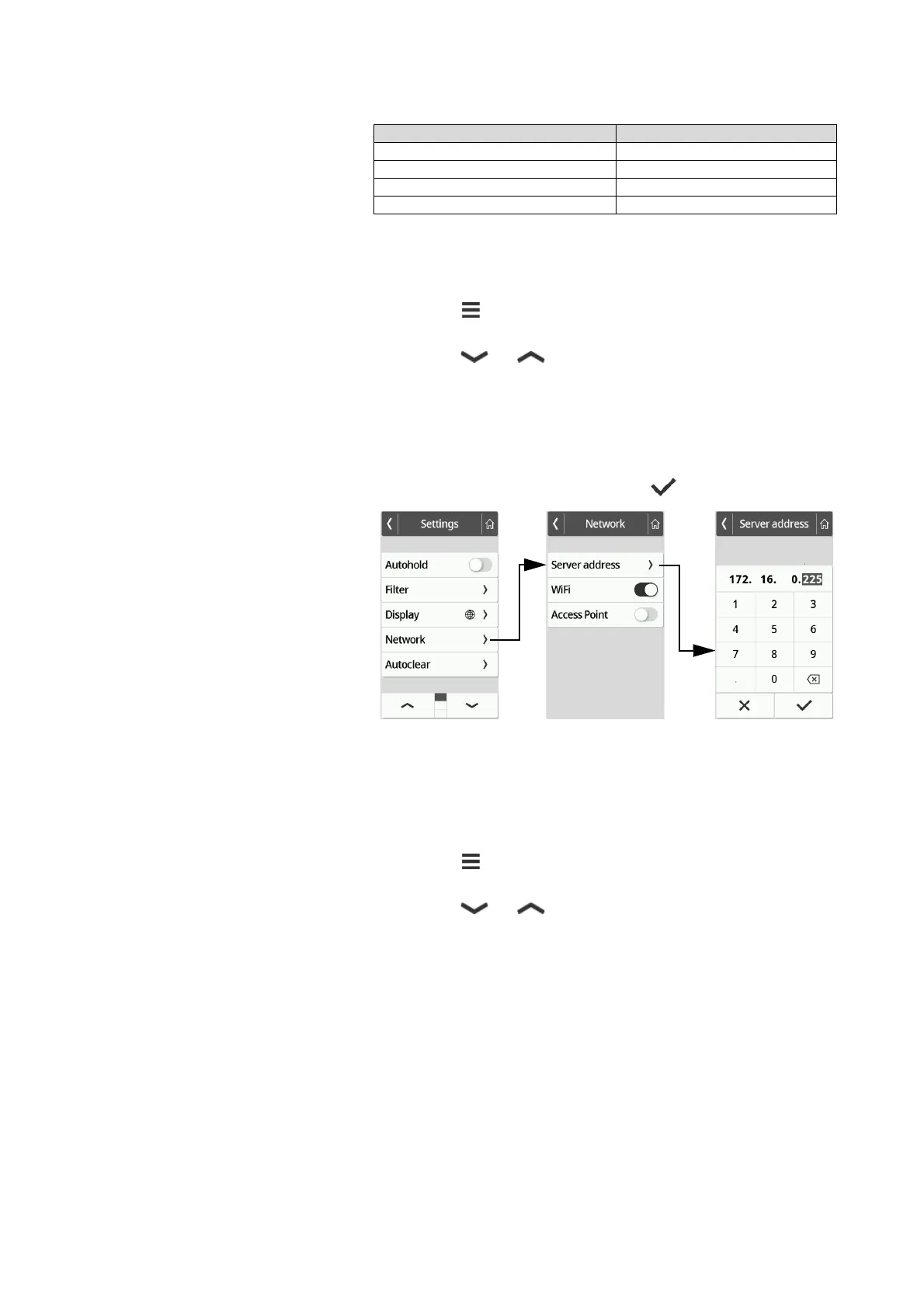
Entering the IP address
NOTE
Manual entry is only necessary if no barcode scanner is connected to
your device. If a barcode scanner is connected, the network connec-
tion can be set up from the
seca connect 103 software.
1. Press the key.
The Settings menu is displayed.
2. Press the or key until the Network menu item is displayed.
3. Press the Network item.
4. Press the Server address item.
5. Enter the IP address of the server on which the
seca connect 103
software is installed:
a) Enter the value
b) Confirm your entry by pressing the key
6. You have the following options for continuing:
► Connect the device to the network using a LAN cable
► Establish a WiFi connection ➔ Connecting the device to the WiFi
network (seca connect 103), page 98
Activating/deactivating the WiFi
function
To activate/deactivate the WiFi function for the device, proceed as follows:
1. Press the key.
The Settings menu is displayed.
2. Press the or key until the Network menu item is displayed.
Device mode Function available
Basic –
Advanced –
Expert •
Service •



 To Next Page