56 •
4
Enter key
While weighing (if wireless network is set up):
- Short press: Send measurement result to receive-
ready instruments (PC with USB wireless adapter)
- Long press: Print out measurement result (wireless
printer)
• On the menu:
- Confirm selected menu element
- Save set value
5
Display
Display element for measured results and for device
configuration
6
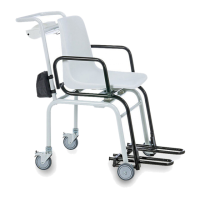
Battery
compartment
Accommodation for the rechargeable battery block
7
Power pack
connection
Serves to connect the included power pack
8
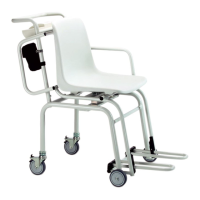
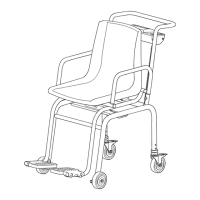
Spirit level Indicates whether device is horizontal
9
Transport rollers
• Steerable
• Height adjustable
• With wheel brakes
The scale can be moved on these rollers.
The scale can be aligned precisely with these rollers.
10
Armrests Swivel, so that it is easier for the patient to sit down
11
Footrests
•Swivel
• Can be pulled out
For correct measurement, the patient’s feet must be on
the footrests
12
Foot screw 2 screws, for precise alignment of device
13
Transport rollers The scales can be moved about with these rollers
No. Control/Feature Function


 To Next Page