72 •
To switch back to weighing range 1 proceed as
follows:
Remove all loads on the scales.
Weighing range 1 is activated again.
Switch off scales
Press the Start key.
NOTE:
In rechargeable battery operation, the scale
switches off after a short time if there is no load
on it.
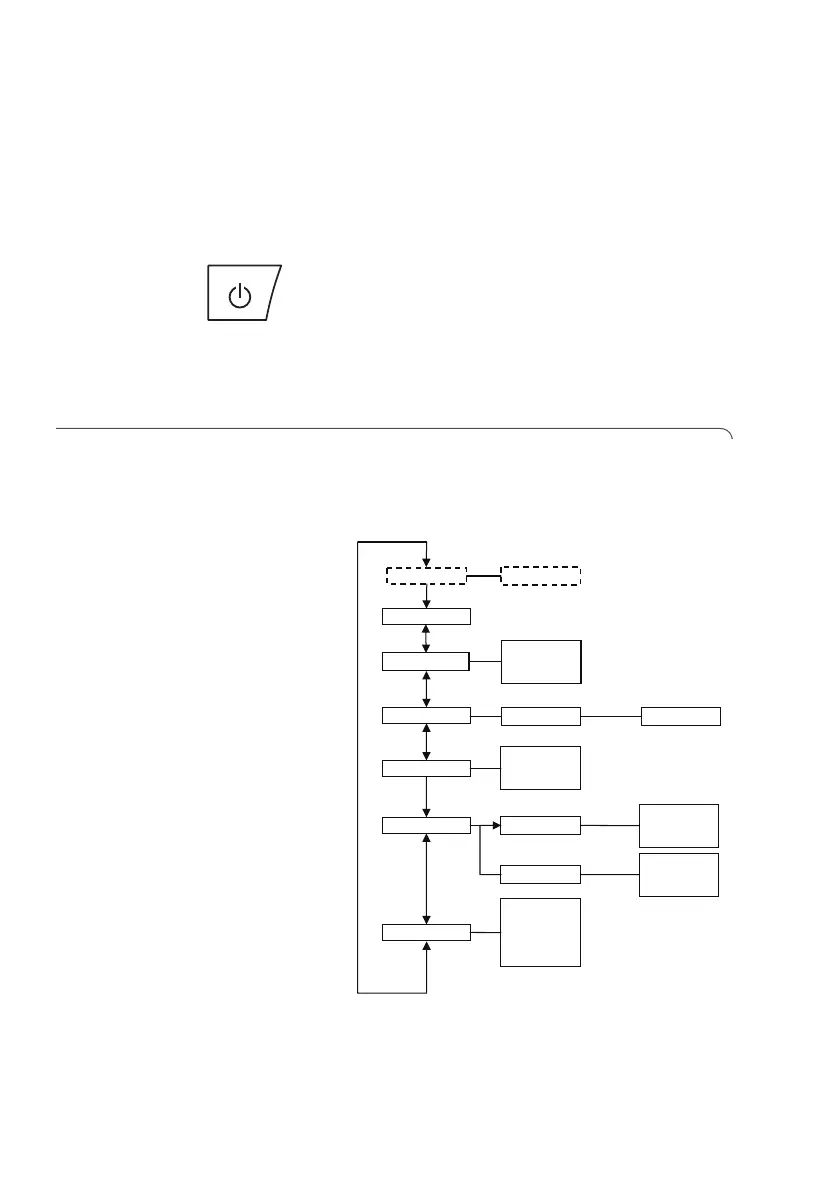
6.3 Additional functions (menu)
Additional functions are available in the menu for the
scales. This allows you to configure the scales perfectly
to your own needs.
* The menu item "rF" is described in section “Operate
scales in a wireless group (menu)" on page 78.
rF* ….
Reset
Autohold
• on
• off
Fil
• 0
• 1
• 2
Beep
• on
• off
• on
• off
Press
Hold
PT Weight
PT
Net Weight
• on
• off
Autoclear


 To Next Page