English
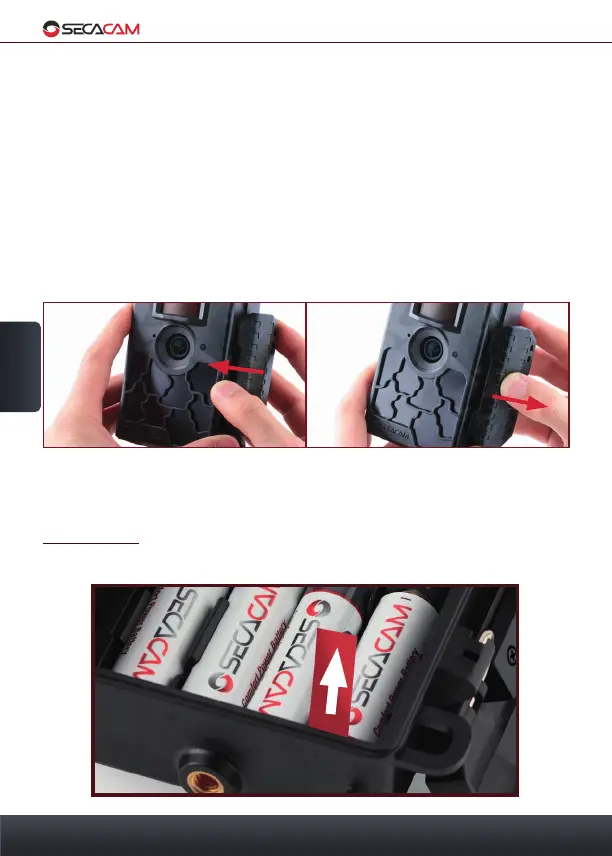
Opening Closing
2. Your SECACAM & 3. Set Up
44
LCD display: When the ON/OFF switch is on the SETUP setting, the monitor
is turned on. In this setting you can adjust both the image size, view your pho-
tos or, after hitting the MENU button, adjust the camera’s internal settings.
Menu Botton: With the monitor turned on (switch the camera on, press OK)
you may enter the camera menu by pressing the "M" button.
Play Button: When the monitor is turned on, press the PLAY button to view
your photos.
3. Set Up
3.1 Opening and closing the Camera
Open: You can open the clamp on the side by pulling it forward to unclasp
it from the camera. The operating buttons can be found on the inside of the
camera body.
IMPORTANT: Remove the contact breaker from the cameras housing, to
allow the circuit to close. This might need a little force


 To Next Page