English
3. Set Up
46
3.3 Inserting the Memory Card
The SECACAM stores images and videos on standard SD or SDHC memory
cards (no micro-SD).
Important: Recording photos and videos as well as changing the menu set-
tings is only possible with a memory card inserted. The camera supports
SD / SDHC memory cards up to a capacity of 32 GB.
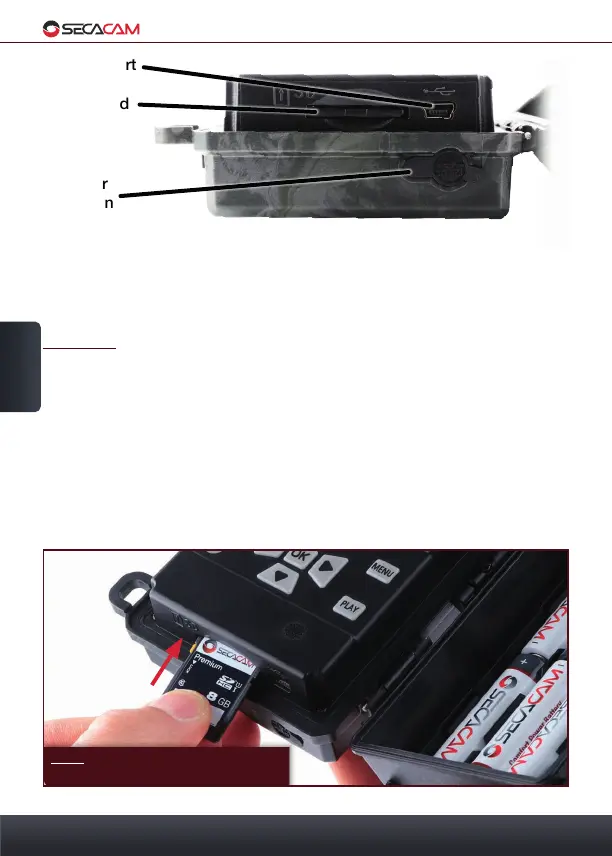
Inserting the memory card: When you insert the memory card the camera
must be turned off! Unclasp the clasp and open your camera. On the right
side of the camera body, you will find the memory card slot. Insert a SD /
SDHC memory card into the memory card slot until it clicks into place. When
inserting the memory card, the memory card contacts must face downwards,
meaning you must see the front of the camera and the golden contact strips
of the memory card.
Mini-USB-Port
Memory Card
Slot
12V Power
Connection
Note: the printed side of the memory
card must face upwards
Bottom


 To Next Page