EasyManua.ls Logo

Seccua UrSpring - User Manual

Seccua UrSpring
108 pages
Print Icon
To Next Page IconTo Next Page
Loading...
Installation and User Instructions
Seccua UrSpring
A
p
r
i
l
2
0
2
0
e
r
s
i
o
n
1
.
1
0
P
a
g
e
1
/
5
0

Table of Contents

Questions and Answers

Summary

Introduction

1.1 Intended Use

Specifies the intended purpose of the Seccua UrSpring water filter.

1.2 Filtering Principle

Explains the Seccua Filtration technology and its components.

1.3 Overview of the UrSpring

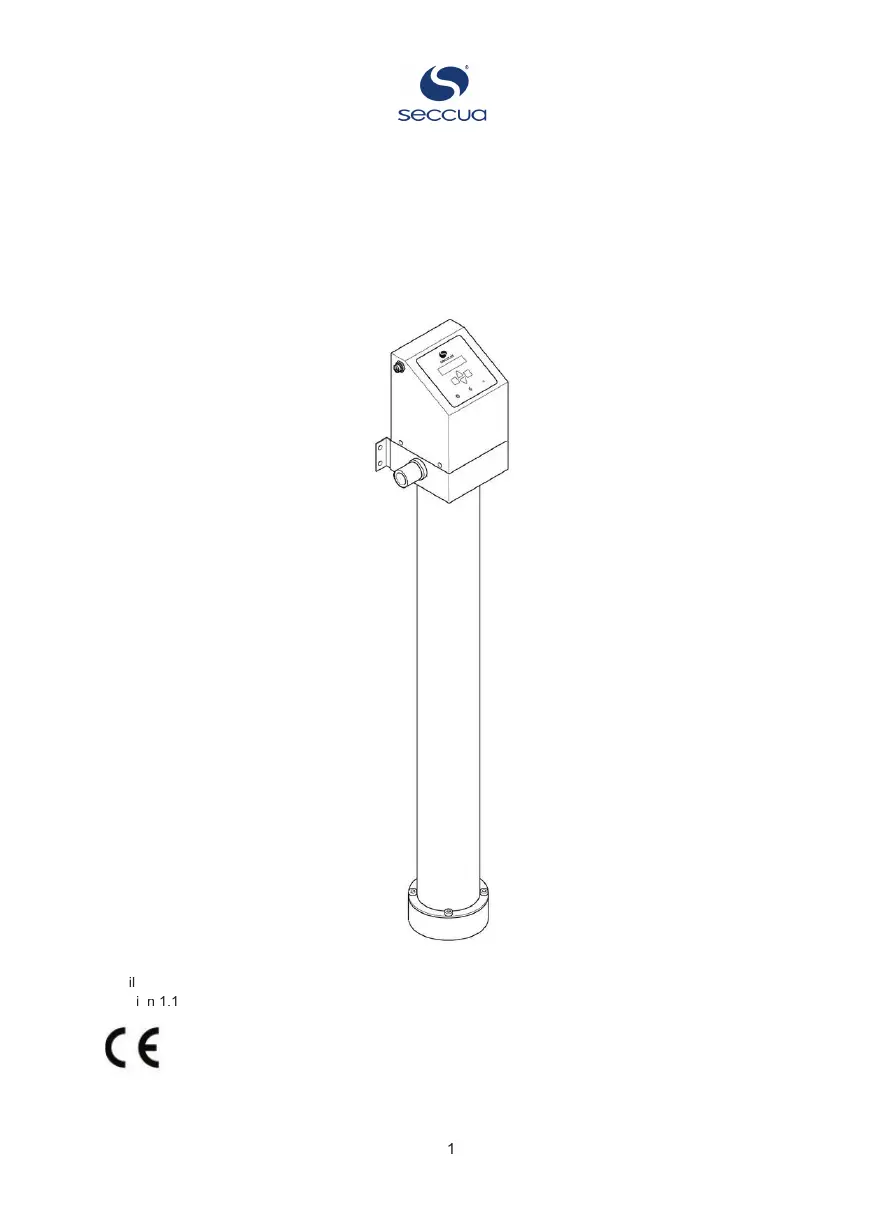
Provides a visual and textual overview of the UrSpring system components.

1.4 About this Manual

Guides users on how to safely use, install, and maintain the Seccua UrSpring.

1.5 Warranty Information

Details the warranty conditions and procedures for Seccua GmbH products.

Using the UrSpring

2.1 User Interface

Describes the UrSpring control unit's interface, buttons, and status indicators.

2.2 Menu Navigation

Explains how to navigate the controller's menu using the buttons.

2.3 Viewing Controller Measurements

Details how to view various measurements from the controller.

2.3.1 Flow Measurement

Displays the water flow rate through the filter in l/min or gpm.

2.3.2 Pressure Drop (p-drop)

Shows the pressure difference between feed and filtered water.

2.3.3 Filter State

Displays the filter's performance percentage compared to a new filter.

2.3.4 Filter Life Left

Shows the estimated remaining filter lifespan before replacement.

2.3.5 Current Pressure Difference

Displays the real-time pressure difference between feed and filtered water.

2.4 Configuring the Controller

Details how to configure the UrSpring controller settings via the menu.

2.4.1 Enter Serial Key (SK)

Guides on entering the filter module's serial key into the controller.

2.4.2 Select Language

Explains how to set the controller menu language to English.

2.4.3 Select Units

Details how to choose between metric and US unit systems for measurements.

2.4.4 Select Time Format

Guides on selecting the 12-hour (am/pm) or 24-hour time format.

2.4.5 Set Correct Time

Explains how to set the current hour and minutes for accurate flushing.

2.4.6 Set Water Temperature

Details setting the water temperature to predict filter lifetime.

2.4.7 Set Flush Length

Recommends and explains how to set the duration for filter flushing cycles.

2.4.8 Delay Flush During Water Use

Explains how to delay flushing cycles during periods of water usage.

2.4.9 Flushing Filter Module

Describes different flushing modes: daily, automatic, and manual.

2.5 Reset to Factory Settings

Details the process of resetting the UrSpring to its default factory settings.

2.6 Filter Module Replacement

Explains when and how to replace the filter module.

2.6.1 Preparation for Replacement

Outlines necessary preparation steps before changing the filter module.

2.6.2 Remove Filter Module

Provides step-by-step instructions for safely removing the old filter module.

2.6.3 Place New Filter Module

Details the procedure for installing a new filter module into the UrSpring.

Installing the UrSpring

3.1 Before You Start

Covers preliminary checks and safety advice before starting installation.

3.1.1 Safety for Installation

Emphasizes critical safety precautions during the UrSpring installation process.

3.1.2 Check Requirements

Lists essential requirements for water pressure, pipe diameter, and environment.

3.1.3 Additional Components for Water Lines

Specifies required additional components for feed and filtered water lines.

3.1.4 Required Installation Tools & Materials

Lists necessary tools and materials for installing the UrSpring.

3.2 Installation Steps

Provides a step-by-step guide for installing the UrSpring unit.

STEP 1 Check Package Contents

Instructs to verify package contents and check for shipping damage.

STEP 2 Mount the UrSpring

Provides steps for mounting the UrSpring control unit to a wall.

STEP 3 Connect Water Couplings

Details how to connect the water couplings to the UrSpring unit.

STEP 4 Prepare O-rings and Filter Module

Guides on preparing O-rings and the filter module before installation.

STEP 5 Place Filter Module

Explains how to correctly position and secure the filter module.

STEP 6 Connect the Power

Details how to connect the power cable to the UrSpring control unit.

STEP 7 Rinse the Filter Membrane

Guides on rinsing the filter membrane to remove preservative solution.

Maintenance Procedures

4.1 Maintenance Schedule

Outlines a schedule for periodic maintenance tasks and their intervals.

4.2 Maintenance Instructions

Provides detailed instructions for various maintenance procedures.

4.2.1 Calibrating the Pressure Sensors

Explains how to calibrate the pressure sensors for accurate readings.

4.2.2 Removing the Controller from the Valve Block

Details how to safely remove the controller from the valve block for maintenance.

4.2.3 Exchanging the Pressure Sensors

Provides steps for replacing the pressure sensors on the valve block.

4.2.4 Exchanging the Solenoid Valve

Guides on how to remove and replace the solenoid valve.

4.2.5 Cleaning the Solenoid Valve

Details the procedure for cleaning the solenoid valve.

4.2.6 Exchanging the Flow Sensor

Provides instructions for replacing the flow sensor.

4.2.7 Cleaning the Flow Sensor

Explains how to clean the flow sensor.

4.3 Spare Parts List

Lists available spare parts for the UrSpring with corresponding article numbers.

4.3.1 UrSpring Spare Part Sets

Lists available spare part sets for the UrSpring with article numbers.

4.3.2 Single Spare Parts

Lists individual spare parts for the UrSpring with article numbers.

Troubleshooting Guide

5.1 Error Code Explanations

Explains how to view and interpret error codes reported by the UrSpring unit.

5.2 Support

Provides contact information for obtaining further support and assistance.

Technical Specifications

6.1 Dimensions and Measurements

Presents the physical dimensions of the UrSpring unit with clear measurements.

6.2 Operating Data

Lists key operating parameters like pressure, temperature, and power supply.

6.3 Electrical Connection Details

Details electrical specifications, including voltage, frequency, and plug types by country.

Using Pipe Couplings

7.1 Using Custom Couplings

Provides guidelines for using custom pipe couplings with the UrSpring.

7.2 Using John Guest Quick Connect Couplings

Explains how to use John Guest quick connect couplings with the UrSpring.

Storage, Transport and Disposal

8.1 Storage and Winterization

Details procedures for storing the UrSpring, including winterization.

8.2 Transportation Guidelines

Outlines precautions and conditions for transporting the UrSpring unit.

8.3 Disposal Instructions

Explains how to properly dispose of the UrSpring and its components according to regulations.

Seccua UrSpring Specifications

General IconGeneral
BrandSeccua
ModelUrSpring
CategoryWater Filtration Systems
LanguageEnglish