SETUP MENU
To access the SET UP MENU take the following steps:
MENU OPTIONS
Press ENTER twice
Press ENTER
Press '-' or '+' to
toggle between the
menu options
detailed below
Press '-' or '+' until
Set Up appears on
the display
Select clock format This allows the display to show the time in
24 hour or AM/PM format
Daylight saving This is the adjustment made in the UK when
the clocks go back or forward in the Autumn
and Spring.
Default setting ON
Standby temperature This is the temperature setting used when in
Standby or Holiday mode (Min 5°C / Max
30°C)
In cold weather the heating will activate if
the temperature being measured falls below
this temperature setting.
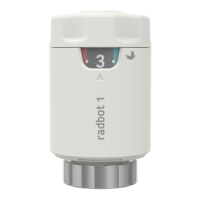
Lower temperature limit This sets the lowest temperature setting the
SCS317 will allow to be programmed.
The default setting is 5°C
Upper temperature limit This sets the highest temperature setting
the SCS317 will allow to be programmed
The default setting is 30°C
13


 To Next Page