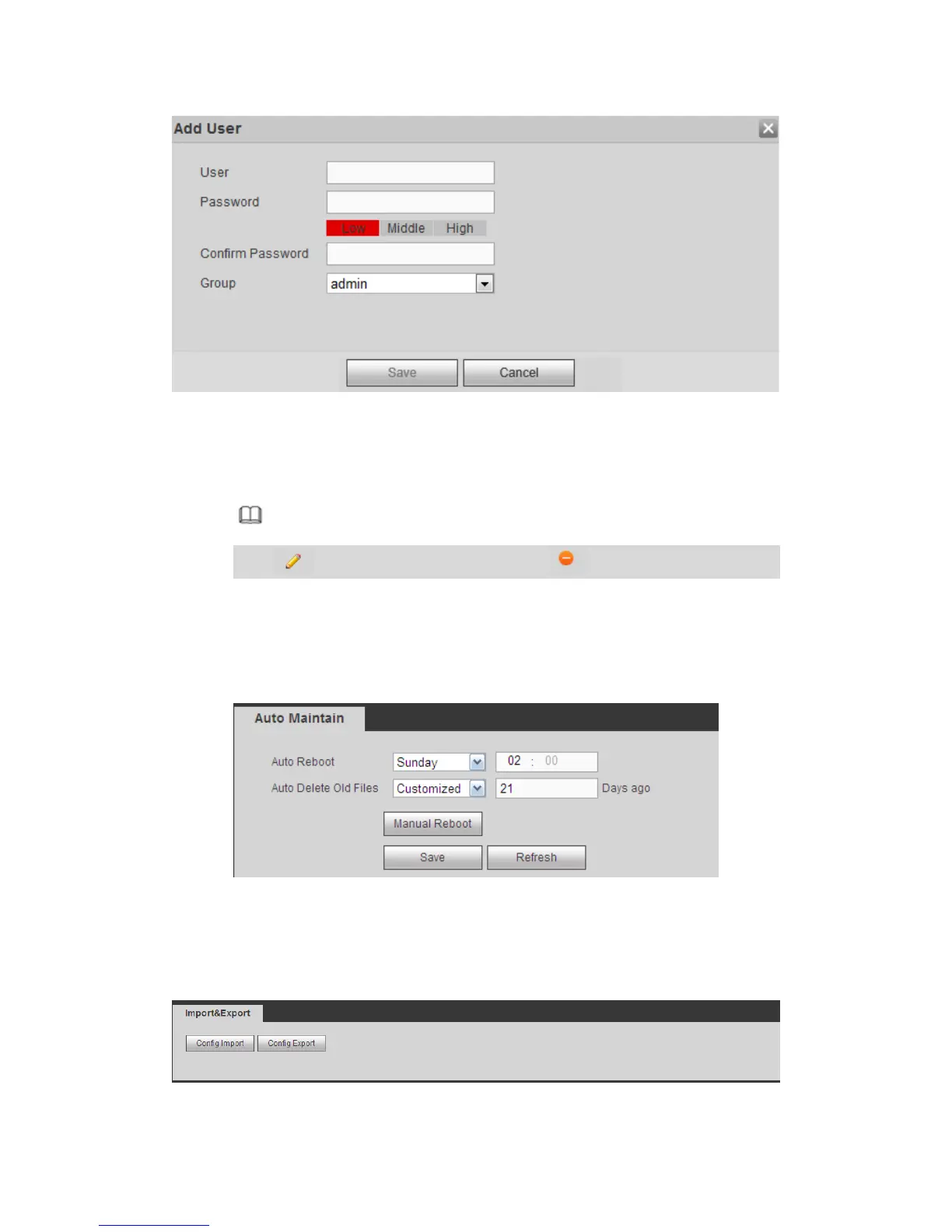
Figure 5-143
Step 3 Set user name, password and then select group from the dropdown list.
Step 4 Click Save to complete setup.
Note
Click to change user information, click to delete current user.
5.10.5.10 Auto maintain
The auto maintain interface is shown as in Figure 5-144.
It is to set auto-reboot time during the spare period if the device is running for a long time.
It is to enhance device operation speed.
Figure 5-144
5.10.5.11 Import/Export
The interface is shown as in Figure 5-145.
Figure 5-145



 To Next Page