Note
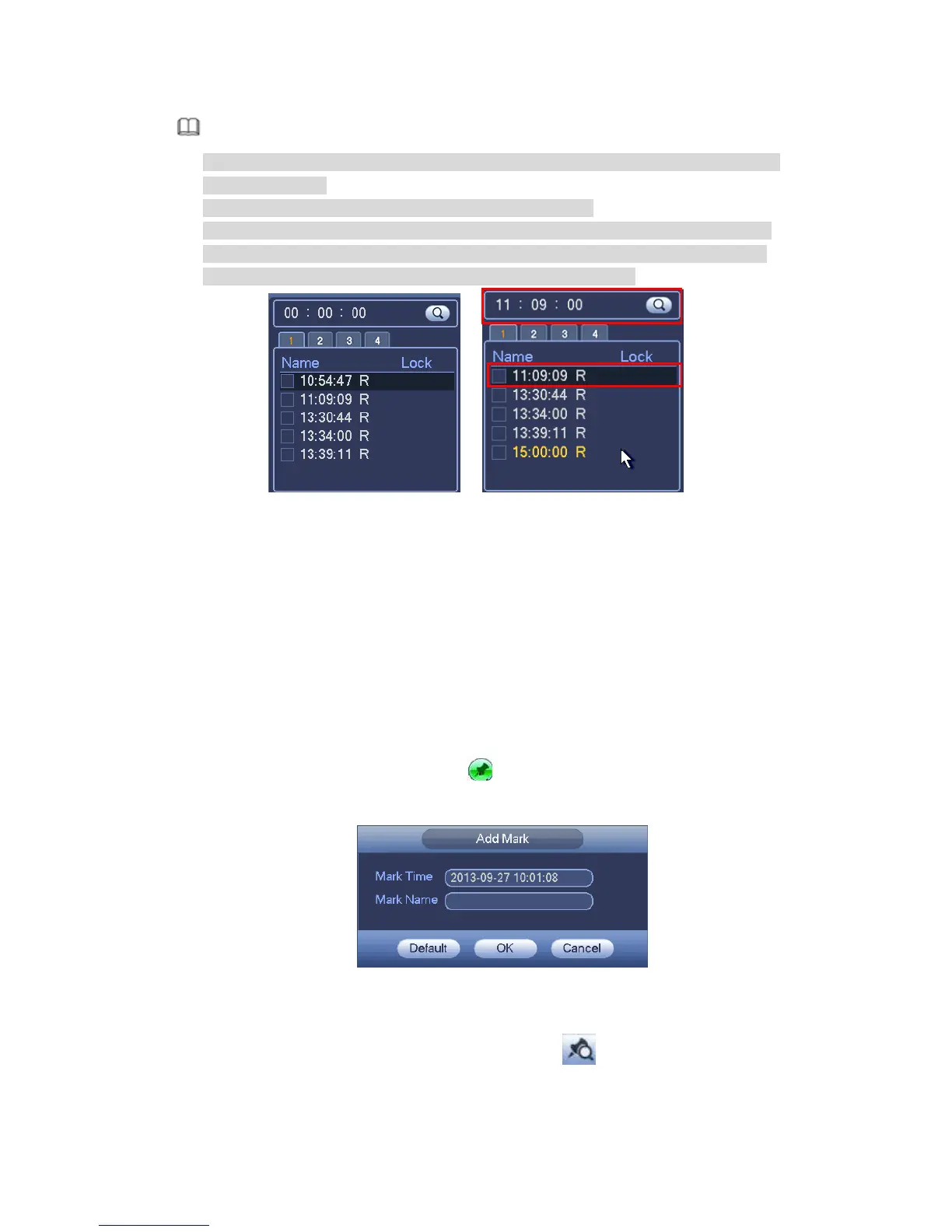
After you searched files, system implement accurate playback once you click Play
for the first time.
System does not support accurate playback for picture.
System supports synchronization playback and non-synchronous playback. The
synchronization playback supports all channels and non-synchronous playback
only supports accurately playback of current select channel.
Figure 4-73
4.7.1.3 Mark Playback
Please make sure your purchased device support this function. You can use this
function only if you can see the mark playback icon on the Search interface (Figure
4-71).
When you are playback record, you can mark the record when there is important
information. After playback, you can use time or the mark key words to search
corresponding record and then play. It is very easy for you to get the important video
information.
Add Mark
When system is playback, click Mark button , you can go to the following interface. See
Figure 4-74.
Figure 4-74
Playback Mark
During 1-window playback mode, click mark file list button in Figure 4-71, you can go
to mark file list interface. Double click one mark file, you can begin playback from the mark
time.



 To Next Page