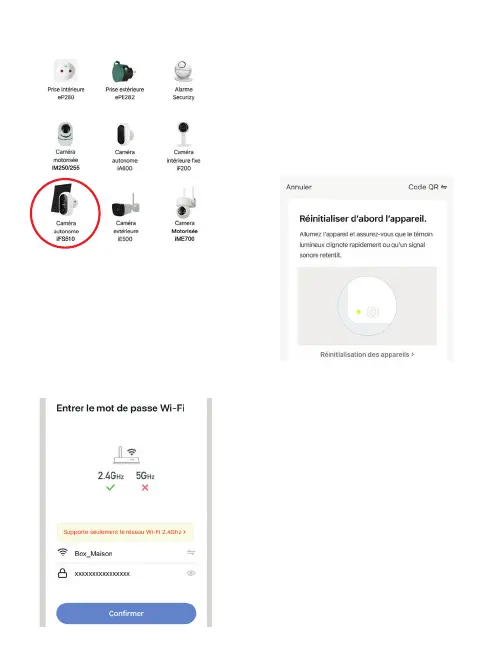
5.2.2 Then choose your product from the list:
The application will then guide you to check
the status of your camera and connect it to
your WiFi network
5.2.3 Enter the password of your WiFi
network when prompted. (2,4GHz WiFi
network to which your smartphone is
connected)


 To Next Page