25
SURFACE MODE
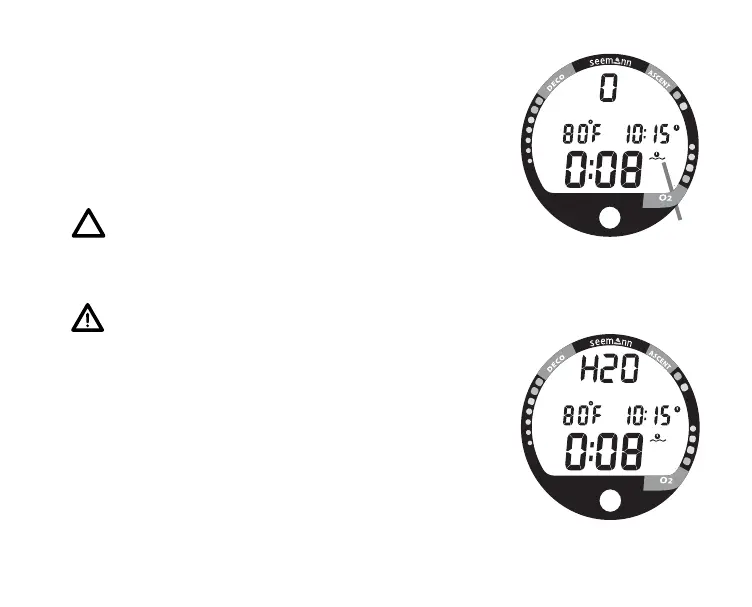
Surface Mode, identified by the Surface Time icon (Fig.
16a), follows Diagnostic Mode after Activation. Information
includes Dive Number '0' (no dive made yet), the Battery
Consumption Indicator, Surface Time (with flashing colon),
Temperature (and icon), and Time of Day (with icon).
NOTE: If the wet contacts are bridged, the
graphic 'H2O' will appear in place of the dive
number '0' (Fig. 17). After the unit is rinsed
and dried, 'O' will replace 'H2O'.
WARNING: If a Low Battery condition is dis-
played after diagnostics, DO NOT dive with the
XP 5 until the battery is changed.
While in the Surface Mode you can access various other
Modes that are described in detail throughout this manual.
• Press the Advance (Front) button to access a
sequence that includes Plan, Fly, DeSaturate, and Log
Modes .
• Press the Select (Side) button momentarily (less than 2
seconds) to activate the Backlight.
• Press Both buttons (simultaneously) to access Set and
Simulator Modes.
Fig. 16 - Surface Mode
Fig. 17 - Surface Mode
(rinse and dry the unit)
a



 To Next Page