73
AFTER THE FIRST 2 HOURS
Two hours after the last dive Surface Mode will no longer
be displayed, the Time to Fly and Desaturation countdowns
will be displayed alternately for 3 seconds each until they
count down to 0:00 or another dive is made.
To access other modes or enter settings -
• press Either button to return to Surface Mode.
• the unit will again revert to the Time to Fly and
Desaturation countdowns after 2 hours, if no button is
pressed.
Wet Contacts
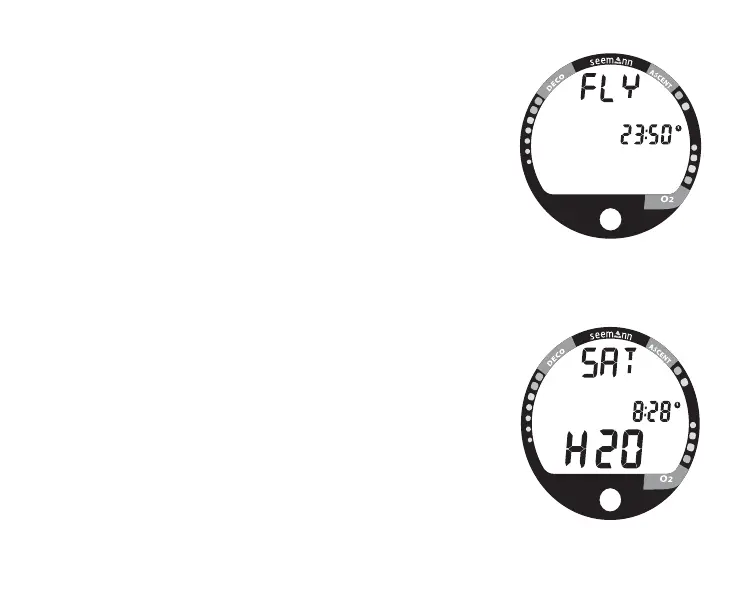
If the graphic H2O appears during the Fly Mode (Fig. 70)
and Desaturation Mode (Fig. 71) countdowns, it is an indi-
cation that the water activation contacts are bridged (still
wet) and the unit must be rinsed in fresh water and dried.
• Once the unit is dry, the graphic H2O will disappear.
• If the unit is not cleaned and dried prior to the count-
downs reaching 0:00 (hr:min), or making another dive, it
will shut off then automatically reactivate.
• The graphic H2O would then appear in place of Dive
Number during the Surface Mode.
• If no dive is made, the unit would shut off after 2 hours,
then automatically reactivate again, repeating the action
until cleaned and dried.
Fig. 70 - Fly Mode
(Activation Contacts Wet)
Fig. 71 - Desaturation Mode
(Activation Contacts Wet)



 To Next Page