SERVICE MANUAL FOR ST-150(F)
34/47 SeeTech
5. CALIBRATION
5.1 How to calibrate (CIS Setting)
→ Before API Version R120613
1. Long press “START/STOP” key
2. Select “4. MACHINE SETTING”
3. Enter the password “1111” + “SET” Key
4. Select “1. CIS Setting”
5. Select “CNT” by pressing “CURR” key
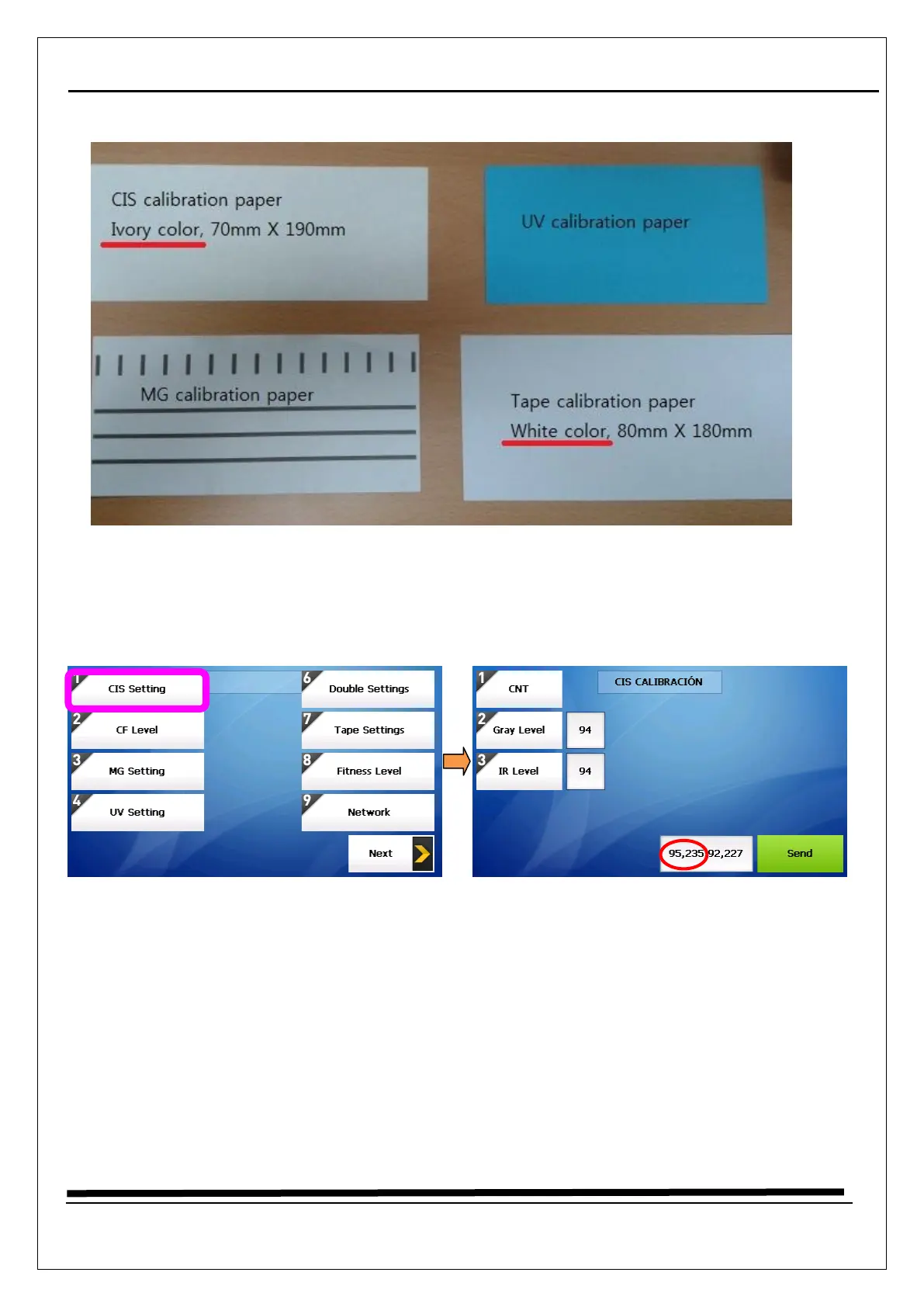
6. Put a CIS calibration paper (just one piece) on the hopper
7. Press “Send” key
8. In red circle, the front value (95) is for IR, the next value (235) is for Gray
9. The IR value should be 94~96 and the Gray value should be 234~236
10. If the IR value is higher than 96, decrease IR Level by pressing “SET”, “CLEAR”, “NUMERIC” Key


 To Next Page