SERVICE MANUAL FOR ST-150(F)
38/47 SeeTech
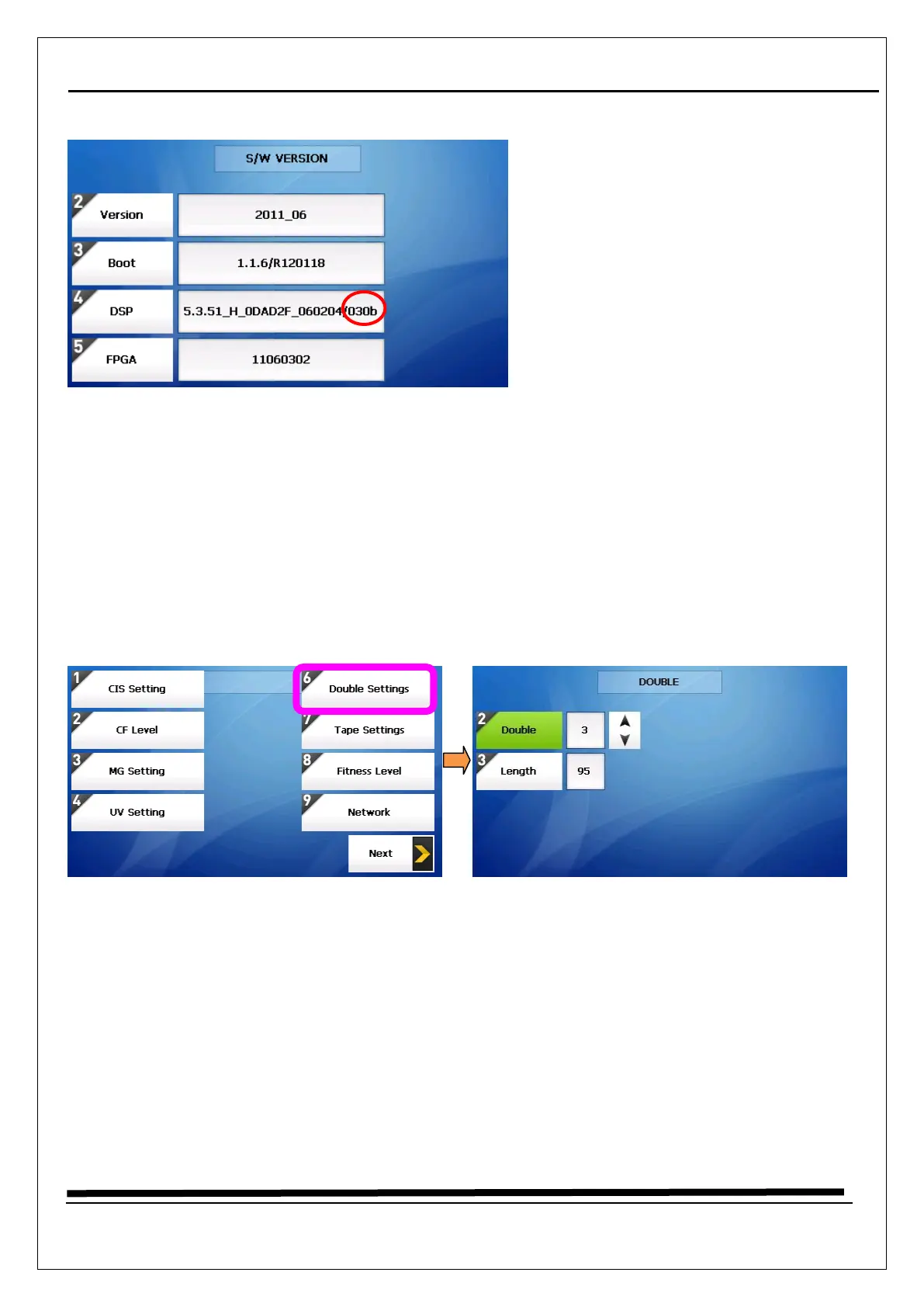
★ How to check ARGOS Version ★
1. Long press “START/STOP” key.
2. Select “2. Product Model”
3. Enter the password “1111” + “SET” Key
4. Select “2. SW Version”
5. In red circle, “030b” is ARGOS Version
5.5 How to calibrate (Double Setting)
1. Long press “START/STOP” key
2. Select “4. MACHINE SETTING”
3. Enter the password “1111” + “SET” Key
4. Select “6. Double Settings”
5. Double Level value is 3 (Default)


 To Next Page