SERVICE MANUAL FOR ST-150(F)
40/47 SeeTech
1. Long press “START/STOP” key
2. Select “4. MACHINE SETTING”
3. Enter the password “1111” + “SET” Key
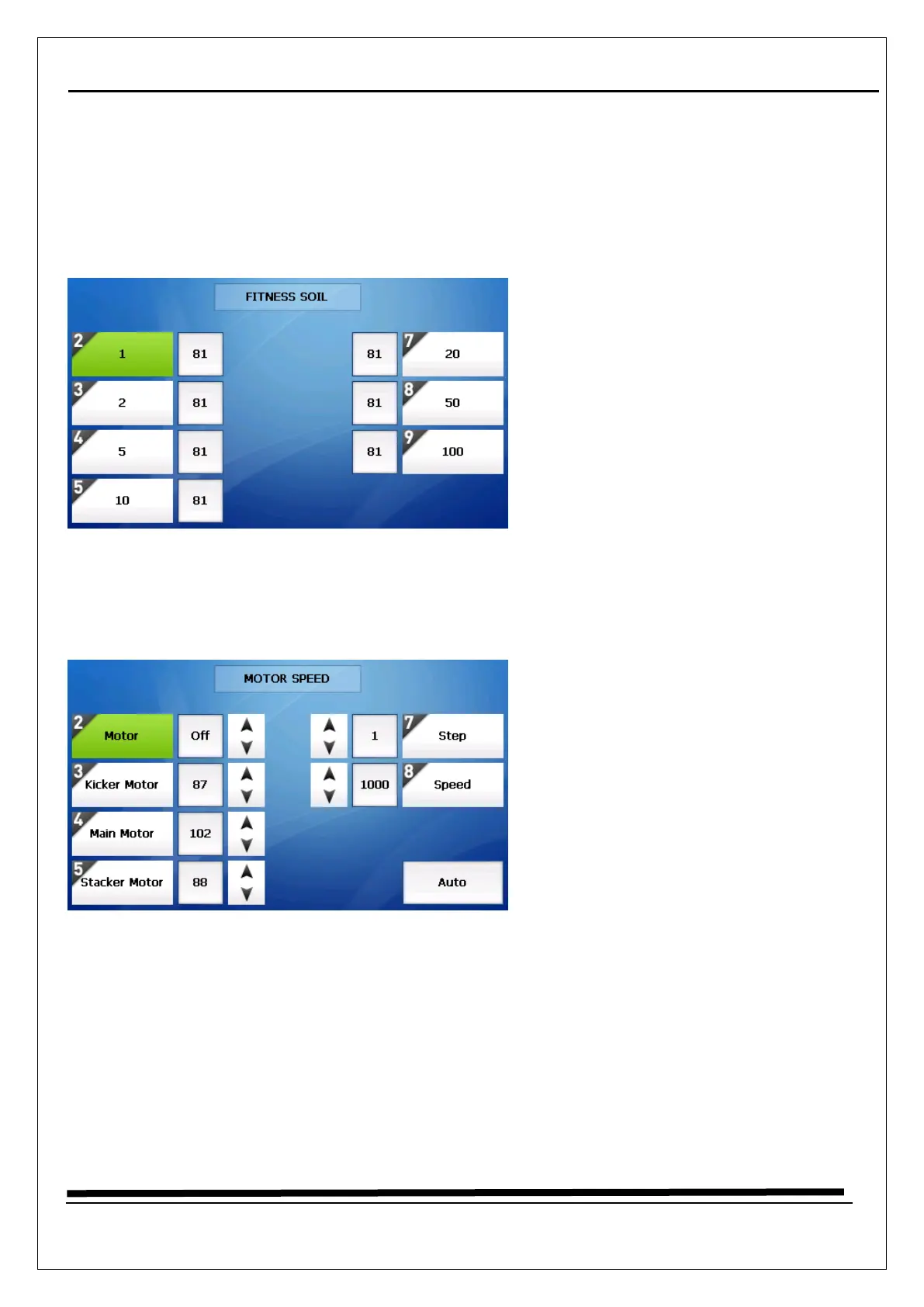
4. Select “8. Fitness Level”
5. Each Fitness Level Default Value is different
→ The soil menu of Fitness level is devided into each denomination of local
5.8 Motor Speed calibrate
1. Long press “START/STOP” key
2. Select “3. MACHINE STATUS”
3. Enter the password “1111” + “SET” Key
4. Select “2. Motor Speed”
5. Press “0. Auto” key, then Motor setting is started Autimatically



 To Next Page