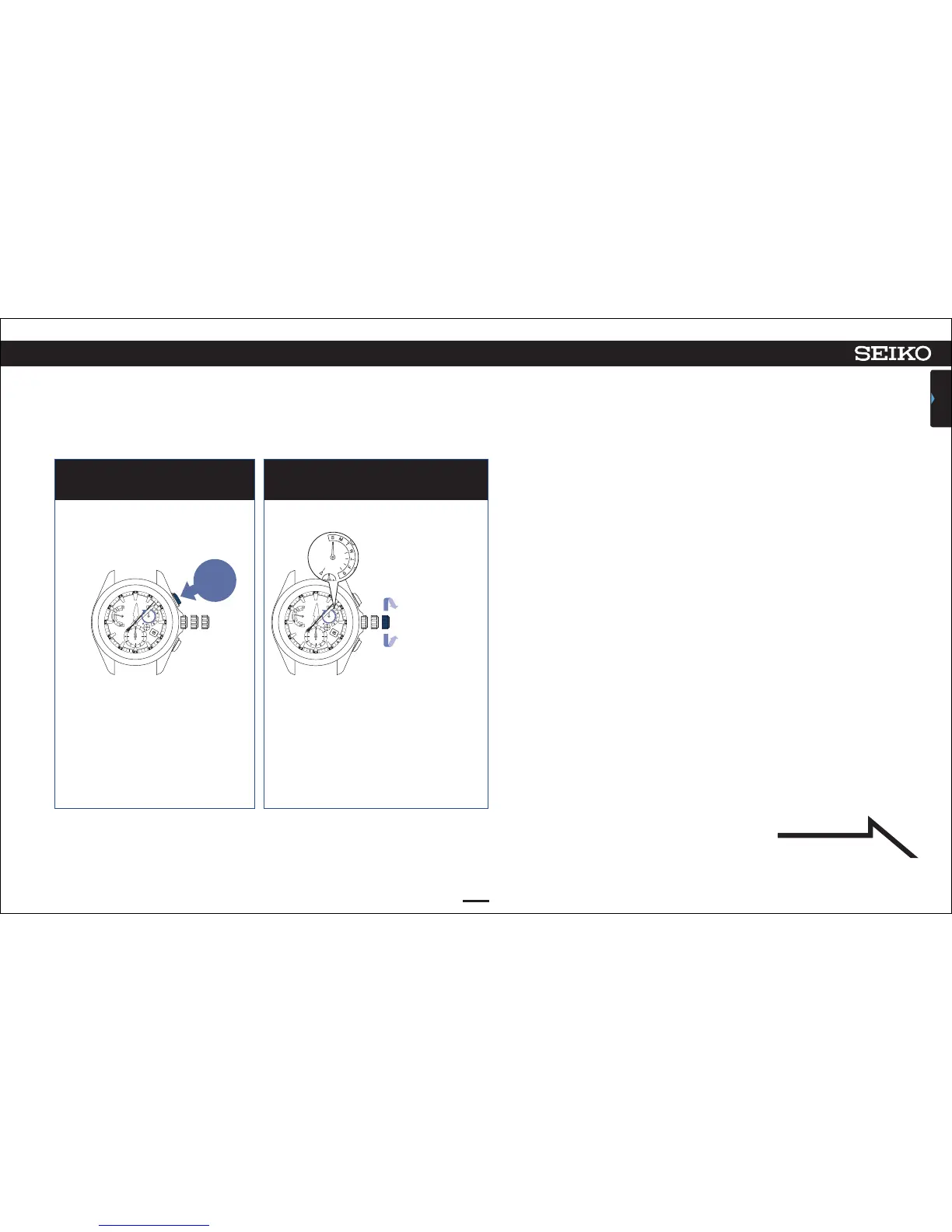
Press Button A and then release
it.
4 5
Turn the crown to adjust the day
hand (a day of week) to “S (Sunday).”
The second hand stops at the
7-second position.
The day hand (a day of week)
turns and stops to indicate
the preliminary position.
The day hand turns a full circle but this
is not a problem.
46
ASTRON 8X53 GPS SOLAR
TROUBLESHOOTING
CONTENTS
7
Turn the crown
clockwise to
advance 1 step.
Turn the crown
quickly to move it
continuously.
Turn the crown
again to stop.
Turn the crown
counterclockwise
to set back 1 step.
The watch enters the mode to
adjust the preliminary position of
the day hand.
Continued on the
following page
Press and
then
release



 To Next Page