EasyManua.ls Logo

Seiko Data-2000 - How to Use the Keyboard; Keyboard Components and Operation; Key Functions; Setting Watch to Keyboard

Seiko Data-2000
18 pages
Print Icon
To Next Page IconTo Next Page
To Previous Page IconTo Previous Page
Loading...
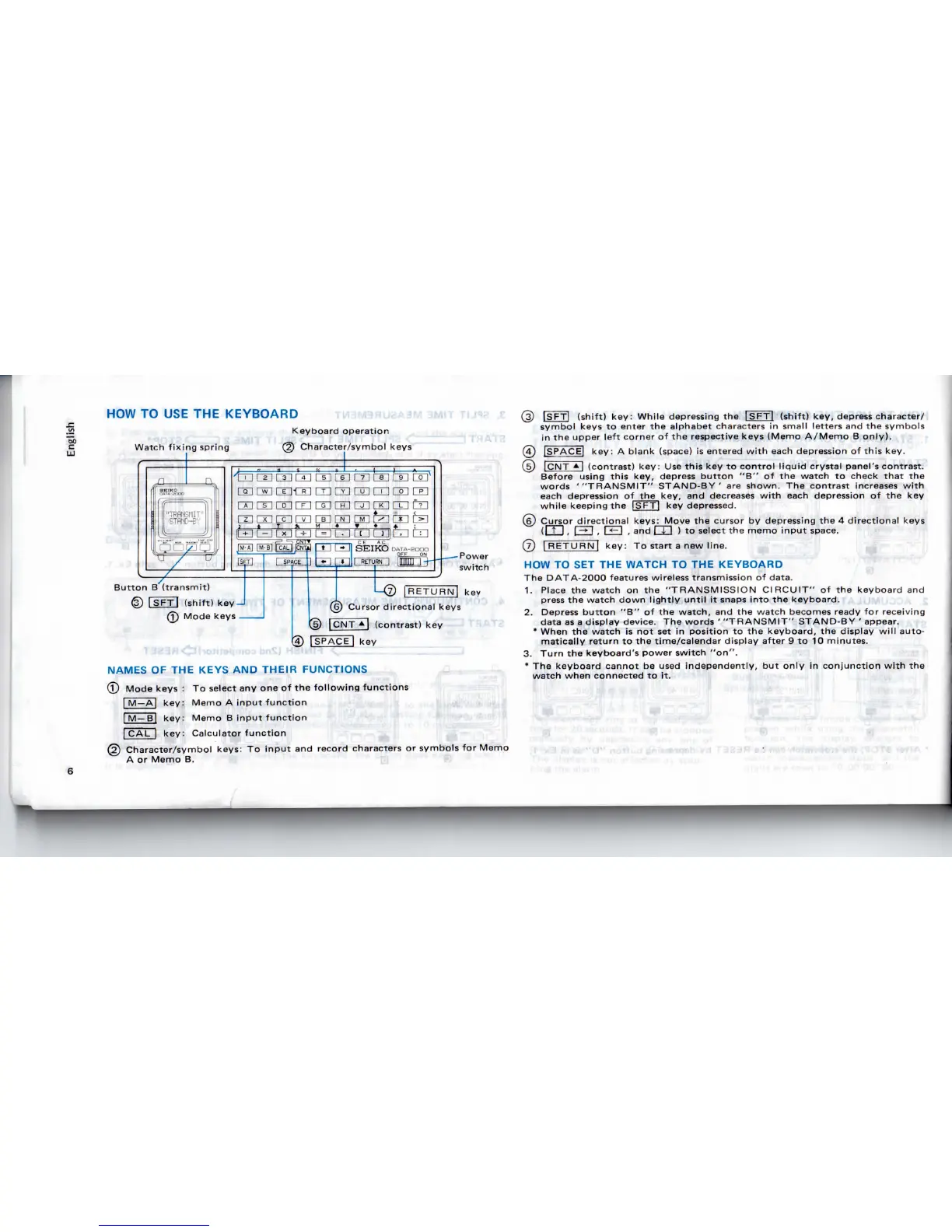
HOW
TO USE THE
KEYBOARD
Watch
fixing spring
Keyboard
operation
Character/symbol
keys
[UCIlQE]
m m m
ran'
nri-nri
m
rri
nn
m
roi
fin
Button
B
(transmit)
©
ISFTJ
(shift)
key
J
@
Mode
keys
[RETURN]
key
Cursor
directional
keys
{5)
|CNT
*|
(contrast)
key
g)
[SPACE]
key
NAMES
OF THE
KEYS
AND
THEIR
FUNCTIONS
(T)
Mode keys
: To
select
any one of the
following
functions
|
M—A|
key: Memo
A
input
function
$
I
M
Bj
key: Memo
B
input
function
^
| CAL |
key: Calculator
function
(g)
Character/symbol
keys:
To
input
and
record
characters
or
symbols
for
Memo
A
or
Memo
B. IB
'
@
ISFTl
(shift) key: While depressing
the
|SFT| (shift)
key,
depress
character/
symbol
keys
to
enter
the
alphabet
characters
in
small letters
and the
symbols
in the
upper left
corner
of the
respective
keys
(Memo A/Memo
B
only).
(4)
[SPACE]
key:
A
blank
(space)
is
entered
with
each
depression
of
this key.
(JD)
JCNT
A"l
(contrast) key:
Use
this
key to
control
liquid
crystal
panel's
contrast.
Before
using
this
key,
depress
button
"B" of the
watch
to
check
that
the
words
'"TRANSMIT"
STAND-BY'
are
shown.
The
contrast
increases
with
each
depression
of
the
key,
and
decreases
with
each
depression
of the key
while
keeping
the
ISFTl
key
depressed.
(g)
Cursor
directional
keys: Move
the
cursor
by
depressing
the 4
directional
keys
(It
I
,
|
->
I , I
<-l
,
and
I 1 I ) to
select
the
memo
input
space.
(7)
|
RETURN!
key:
To
start
a new
line.
HOW TO SET THE
WATCH
TO THE
KEYBOARD
The
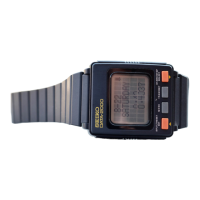
DATA-2000
features
wireless
transmission
of
data.
1.
Place
the
watch
on the
"TRANSMISSION CIRCUIT"
of the
keyboard
and
press
the
watch down
lightly
until
it
snaps
into
the
keyboard.
2.
Depress
button
"B" of the
watch,
and the
watch
becomes
ready
for
receiving
data
as a
display
device.
The
words
'
"TRANSMIT"
STAND-BY
'
appear.
*
When
the
watch
is not set in
position
to the
keyboard,
the
display
will
auto-
matically return
to the
time/calendar display after
9 to 10
minutes.
3.
Turn
the
keyboard's power switch "on".
*
The
keyboard cannot
be
used
independently,
but
only
in
conjunction
with
the
watch when connected
to it.
'

Related product manuals