EasyManua.ls Logo

Seiko DPU-414 - User Manual

Seiko DPU-414
53 pages
Print Icon
To Next Page IconTo Next Page
Loading...
USER'S GUIDE
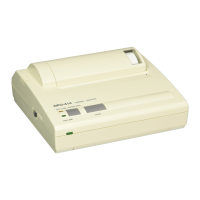
Thermal Printer
DPU-414
Read this manual carefully before using the printer.
Keep this manual in a place where it can be accessed
quickly.
Seiko Instruments Inc.

Other manuals for Seiko DPU-414

Questions and Answers

  • K
    Kathy MeltonSep 7, 2025
    What does it mean when the ERROR LED lights up on my Seiko DPU-414 Printer?
    • A
      anamillerSep 7, 2025
      If the ERROR LED lights up on your Seiko printer, it is likely due to paper jams preventing the head from scanning. Remove the paper jam to resolve this issue.
  • D
    Dana WangAug 22, 2025
    What to do if thermal paper does not feed in Seiko printer?
    • K
      Kevin CookAug 22, 2025
      To resolve thermal paper feeding issues with your Seiko printer, remove any foreign objects and set the printer OFFLINE.
  • B
    Brooke HarperSep 4, 2025
    Why is my Seiko printer printing unevenly?
    • J
      Jennifer DiazSep 4, 2025
      If your Seiko printer is printing unevenly, it could be due to step-out of the head scanning (out of range of printing) caused by a defective drive voltage of the head scanning motor, so replace the main board. It may also be caused by step-out of the head scanning motor (out of range of printing) due to the attachment of alien substances around the head carrier, so remove alien substances. A defective timing switch could also be the cause, so replace the printer unit.
  • J
    Justin GreenSep 3, 2025
    What causes abnormal sound emitted from Seiko printer?
    • P
      Paul WrightSep 3, 2025
      If your Seiko printer emits an abnormal sound, it could be due to the attachment of alien substances around the head carrier or to gears concerned with the paper feed; in both cases, remove the alien substances. Another cause might be an awry FPC for the head, so set the FPC correctly.
  • K
    kruegerdarrylSep 2, 2025
    Why does my Seiko printer have no interface communication?
    • J
      Jacob BallSep 2, 2025
      If your Seiko printer has no interface communication, it could be due to a dipswitch setting error; set the dipswitch correctly. Alternatively, there may be a defective main board, requiring you to replace it.
  • L
    Laura StephensAug 31, 2025
    Why are dots missing when printing with my Seiko printer?
    • S
      sheilaperezAug 31, 2025
      If dots are missing when printing with your Seiko printer, it could be due to a disconnected FPC for the head, so replace the printer unit. Another cause might be a defective contact between the FPC for the head and the connector on the board; in this case, insert the FPC to the connector correctly again. A burned thermal head could also be the reason, so replace the printer unit.
  • M
    Mark DaltonAug 30, 2025
    What to do if Seiko printer paper can not be fed?
    • K
      kerrideanAug 30, 2025
      If paper cannot be fed into your Seiko printer, it might be due to a defective drive voltage of the paper feed motor, so replace the main board. Another cause could be the attachment of alien substances to the gears of the paper feed motor; in that case, remove the alien substances.
  • K
    kathy82Aug 29, 2025
    Why Seiko printer has no power without the AC adapter?
    • A
      amberpowersAug 29, 2025
      If your Seiko printer has no power without the AC adapter, the battery may not be charged; charge it with the AC adapter. Another possible cause is a disconnected connector; in this case, insert the connector correctly.
  • I
    imitchellAug 27, 2025
    Why is my Seiko printer printing with defective density?
    • L
      longandreaAug 27, 2025
      If your Seiko printer has defective printing density, it may be due to a defective thermal head resistance, requiring you to replace the printer unit. Another cause could be a defective contact between the FPC and the connector, so insert the FPC to the connector correctly again. Also, ensure you're using the recommended thermal paper and that the dipswitch setting is correct. Finally, check if there's an error in the head rank or applied energy setting, and adjust the applied pulse width correctly.
  • S
    shaun22Aug 26, 2025
    How to fix Seiko DPU-414 Printer battery that is not charged?
    • A
      April HensonAug 27, 2025
      If the battery of your Seiko printer is not charging, it could be due to a charging time setting error, so set the charging time correctly. It may also be caused by a defective voltage of the battery, in which case you should replace the battery pack. Another cause could be a defective AC adapter, so replace the AC adapter.

Summary

SAFETY PRECAUTIONS

Printer Safety Precautions

Important warnings and guidelines for safe printer operation.

Battery Pack Safety Precautions

OPERATING PRECAUTIONS

Using the Printer

Guidelines for using the printer correctly and maintaining performance.

Printer Installation

PREPARATION

Printer Part Names

Operation Panel Overview

OPERATION

Loading Thermal Paper

Setting Software DIP Switches

SWDIP Switch 1 Settings

SWDIP Switch 2 Settings

SWDIP Switch 3 Settings

Connecting the Printer to Computer

Performing a Test Print

HEX Dump Print Function

Printer Printing Operations

Handling the Battery Pack

Removing the Battery Pack

Charging the Battery Pack

Low Battery During Printing

PRINTER FUNCTIONS

Printer Errors

Lists common errors and their corresponding LED indicators.

Out-of-Paper Detection

CONTROL CODES

ESC Sequence Control Codes

Interface Specifications

Serial Interface Details

TROUBLESHOOTING

Power On Issues

Troubleshooting steps for when the printer does not power on.

Paper Feed Issues

Troubleshooting steps for issues with thermal paper feeding.

Printing Not Working or Stops

Incorrect Characters Printed

Print Lightness;Darkness Issues

Seiko DPU-414 Specifications

General IconGeneral
TypeDot Matrix Printer
Print MethodImpact
Print Width80 mm
InterfaceSerial, Parallel, USB
Number of Columns40, 80
Power SupplyAC 100-240V
Number of Pins9 pins

Related product manuals