55
54
4 You may continue to scroll through
the corresponding word list by using
.
*To clear the display and start again, simply enter your new letters.
...
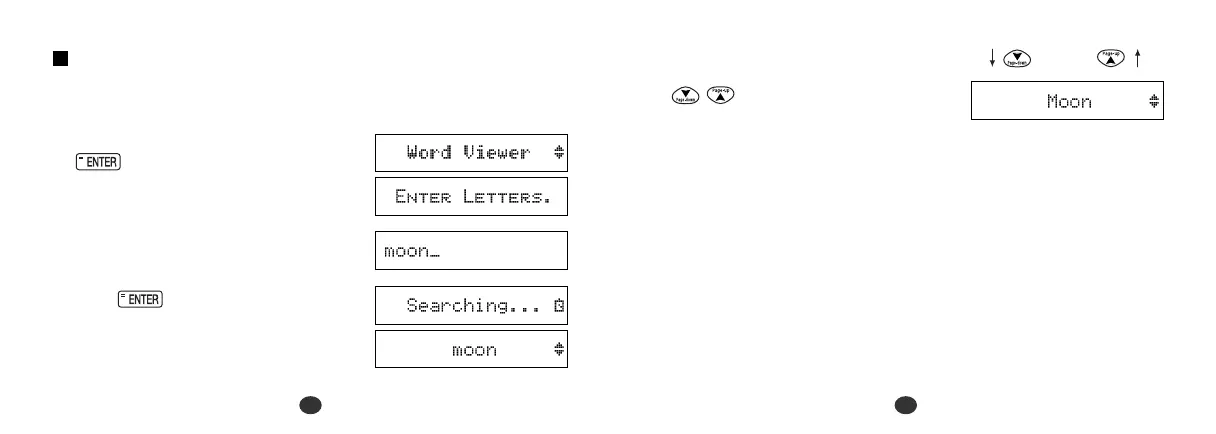
Word Viewer
Search for word within the unit’s data.
1 Select “Word Viewer” and then press
.
2 Enter letters.
Example: moon
3 Press .
After the display “Searching ...”, the
first corresponding word will be
displayed.


 To Next Page