13
12
Changing Batteries:
The batteries need to be changed as soon as the display becomes dim.
Press the “RESET” button on the front of the unit after battery
replacement. ( See page 11. )
*
Make sure that the power is switched off before replacing the batteries.
* Do not use a previously used battery together with a new battery.
CAUTION
• The batteries may pose a choking hazard to small children.
• Keep the batteries and product away from small children.
• Do not expose the batteries to open flame or intense heat.
*Never use batteries other than those specified.
* Rechargeable batteries
MUST NOT
be used.
* Remove the batteries from the unit if you do not intend to use it for
a long duration.
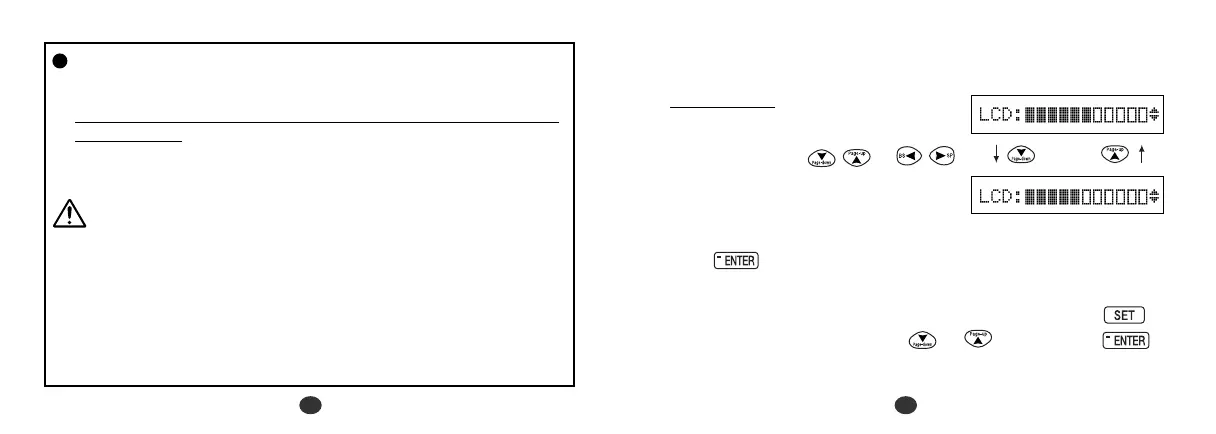
2. Contrast Adjustment
1. After resetting, the contrast
adjustment display will appear.
2. You can use either or
to adjust the contrast of the display
Level 1 to Level 11.
(Initial setting = 6)
3 Press to finish.
The display will enter the Spellchecker mode.
* If you want to adjust the contrast of the display again, press .
Select “
LCD Contrast
” by using or and then press .
( See page 89. )


 To Next Page