89
88
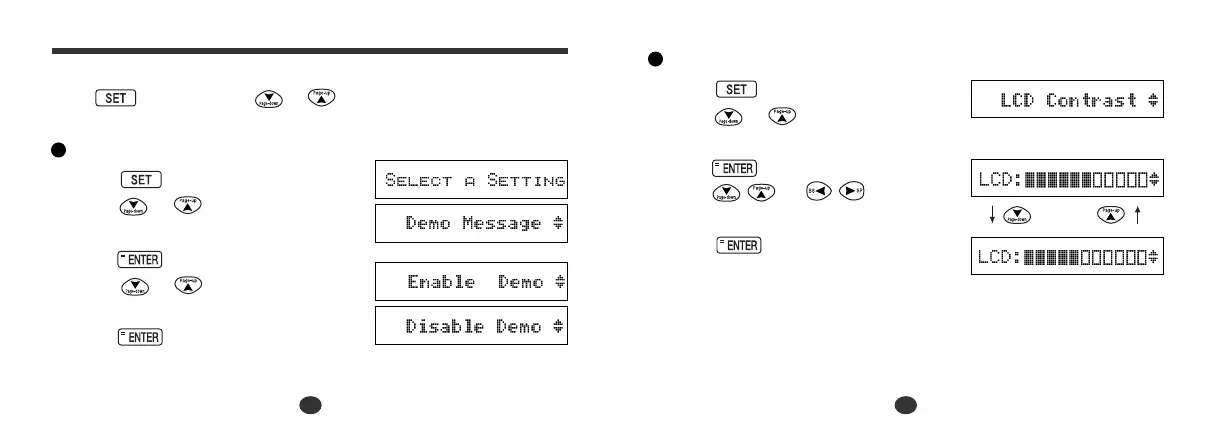
Setting the LCD Contrast
1 Press .
Press or to select “LCD
Contrast”.
2 Press .
Press or to adjust
the contrast of the LCD display.
3 Press to set it. (See page 13.)
SET Mode
You can customize the operating conditions.
Press and then press or to select an item when you
want to change the default settings.
Changing the DEMO mode
1 Press .
Press or to select “Demo
Message”.
2 Press .
Press or to select “Enable
Demo” or “Disable Demo”.
3 Press to set it. (See page 14.)



 To Next Page