SEL-3031 Instruction Manual Date Code 20091009
Installation
Connections
2.10
Password Jumper
The SEL-3031 contains two levels of passwords to access and set the radio. The
Level 1 password is for read access and the Level 2 password is for write access. The
default passwords that are shipped with the SEL-3031 are shown in Table 2.4. Do not
leave factory default passwords in the product. See PASSWORD Command on
page 4.19 for more information on setting passwords.
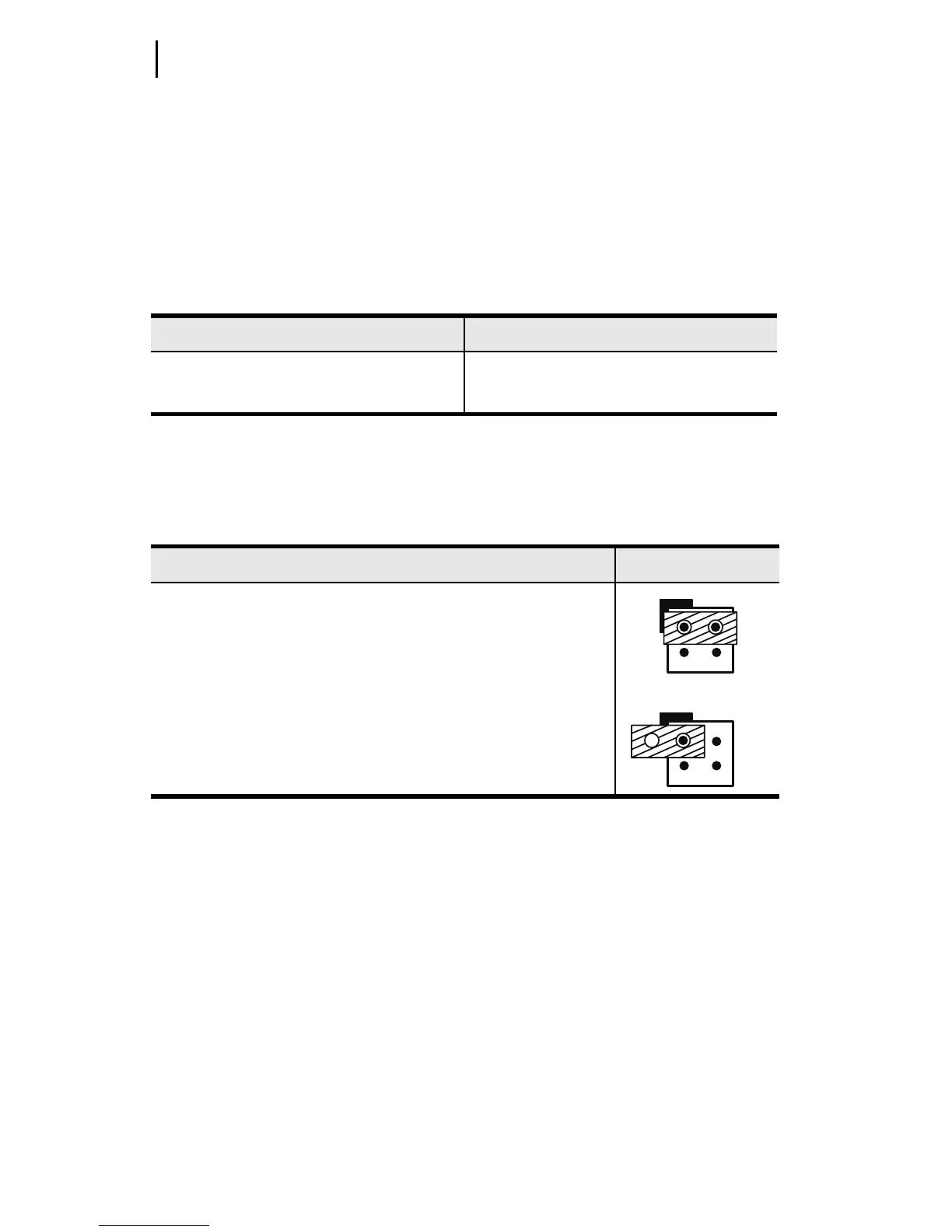
If necessary, you can disable passwords by installing a jumper. Refer to PASSWORD
Command on page 4.19 for information on properly disabling and changing
passwords.
Ta b le 2 . 4 D e fau lt Pa s sw o r d s
Access Level Password
1 OTTER
2TAIL
Ta b le 2 . 5 Pa sswo r d Ju mp e r Pos it ion
Password Enable/Disable Jumper Position
Jumper Installed (Password Disabled)
The jumper installed disables the passwords.
Jumper Removed (Default)
The SEL-3031 ships by default with passwords enabled.
JMP2JMP2


 To Next Page