Date Code 20091009 SEL-3031 Instruction Manual
Installation
Front-Panel Indicators
2.11
IRIG-B Time-Code Input
The SEL-3031 accepts a demodulated IRIG-B time signal to synchronize the internal
clock with an external time source. IRIG-B is available on Port 2 utilizing Pins 4 and 6
for time communications. The SEL-3031 supports the IRIG-B002 standardized time
format.
Front-Panel Indicators
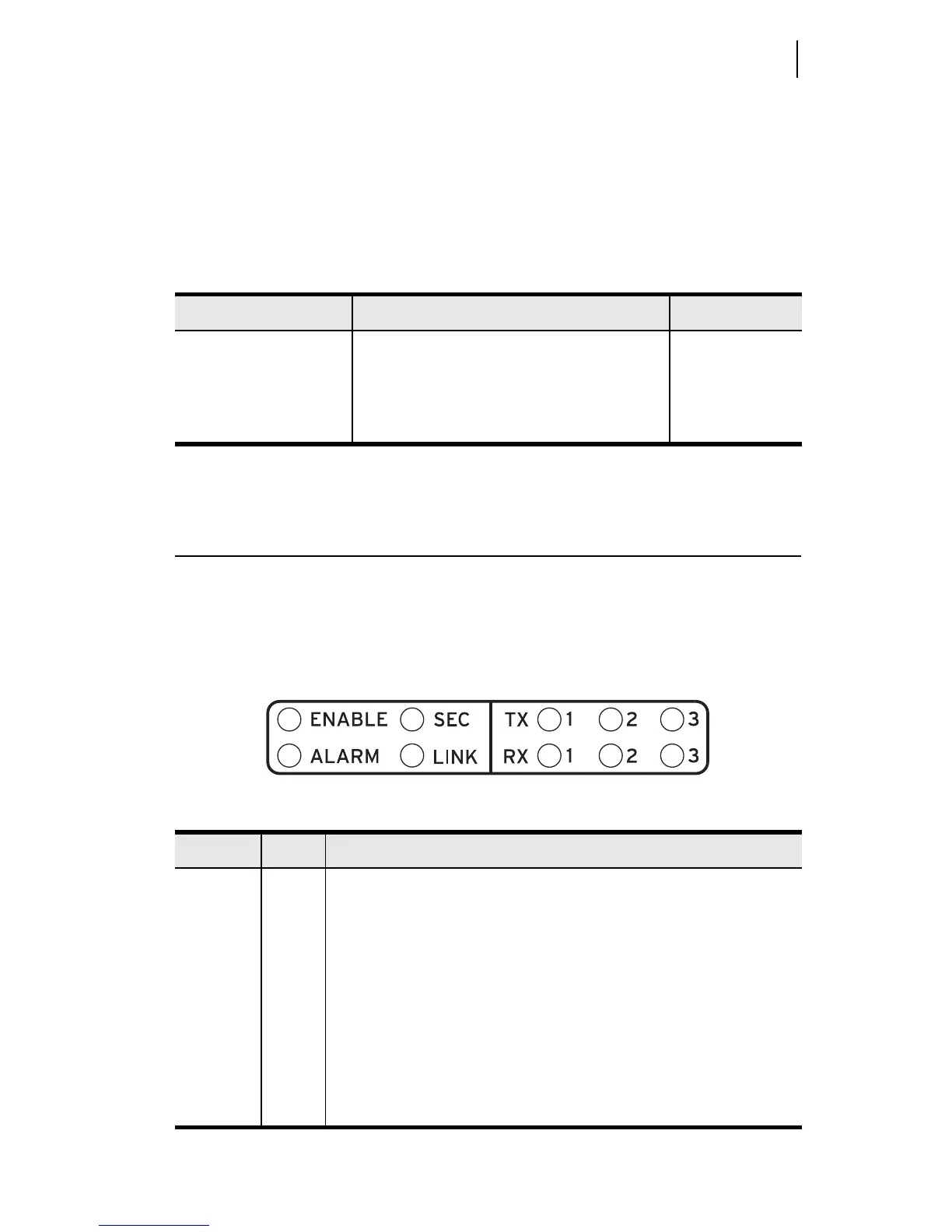
The SEL-3031 has ten front-panel LED indicators. Table 2.7 further describes these
indicators that display the current status of the radio. The LINK LED indicates when the
SEL-3031 has properly connected to another SEL-3031. The SEC LED deals with the
SEL-3044 Encryption Card. See Appendix B: SEL-3044 Encryption Card for more
information on using this card.
Table 2.6 Communications Cables for Time and Communications Connections
EIA-232 Serial Port Connect to Device SEL Cable No.
Port 2 IRIG-B BNC with time only C256
SEL communications processors and com-
puting platform data with IRIG-B
a
a. If connecting to an SEL communications processor you must turn the 5V_EN Global setting in
the SEL-3031 to OFF.
C387
IRIG-B only from DB-9 on SEL-2407
®
C388
Table 2.7 Front-Panel Status Indicator LEDs
Label Color Description
ENABLE Green All self tests are passing and unit is operational
ALARM Red ON: Self test failure detected
Flashing: Antenna failure
SEC Green ON: Encryption card detected and wireless data secured
Flashing: Encryption card detected and in RESET
OFF: No encryption card present or card failed
LINK Green Communications link established between master and remote radio
TX 1, 2, 3 Green Serial data received by the port and transmitted out of the radio
RX 1, 2, 3 Green Radio data received and transmitting out of serial port


 To Next Page